App Optimization Mastery: 15 Proven Techniques That Increased Downloads by 312%
Back to Blog
App OptimizationASOPerformanceUser Experience

App Optimization Mastery: 15 Proven Techniques That Increased Downloads by 312%

Master app optimization with 15 proven techniques that increased downloads by 312%. Advanced ASO strategies for experienced developers.

Admin
Admin
2026-01-1114 min

Two smartphones displaying colorful screens on a desk with a laptop showing charts and a coffee cup in the background

A staggering 90% of users abandon apps because of poor performance. App optimization goes beyond technical tweaks—it determines survival in today's competitive mobile marketplace.

Slow-loading apps quickly exhaust user patience. Research shows 53% of users will abandon an app that takes more than three seconds to load. The statistics get worse: 77% of daily active users abandon apps within just three days of installation. Users today have sky-high expectations and won't think twice before deleting apps that underperform.

Evidence-based optimization strategies can dramatically change these numbers. Explore doubling your app download numbers to streamline this process. One company achieved remarkable results with a 460% increase in user activity and 40% fewer app crashes through systematic optimization. The right optimization techniques do more than improve technical performance—they boost your bottom line.

This piece outlines 15 proven optimization techniques that cover performance improvements, user experience enhancements, and app store optimization tools to help you achieve similar success. You can work with an app store optimization company or handle improvements internally to retain the 29% of users who might otherwise look elsewhere.

Performance and Code Optimization Techniques

Users will delete your app within seconds if it runs slowly. Your app's speed starts with good code. Small code improvements can make your app much faster and keep users coming back.

1. Efficient code splitting and lazy loading

Most apps load everything at once, which makes them start slowly. Code splitting breaks your app into smaller pieces and loads only what users need right away. This makes your app start faster while staying responsive.

Lazy loading works with this approach by loading resources only when needed. To name just one example, your app can load the home screen first and get other screens as users move through the app [1]. Your app feels faster because users can start using it right away.

Research shows lazy loading can cut initial load times by 20-50%, especially in apps with lots of content. The rule is simple - if users don't need certain features right away, load them later.

2. Reducing app size with resource compression

Users often abandon larger apps, especially in areas with poor internet. Explore platform download trends analysis to streamline this process. Google Play limits compressed downloads to 200 MB [2], while App Store caps cellular downloads at 100MB [2]. So keeping your app small is vital.

Here's how to shrink your app:

  • Use tools like ProGuard (Android) or Swift Optimizer (iOS) to remove unused code and shorten class names
  • Turn on resource shrinking to remove unused resources
  • Remove debug symbols from production builds
  • Clean up extra generated code, since some tools (like protocol buffers) can make apps 2-3 times bigger [2]

Resource compression can shrink your app by 20-50% [1]. This makes it a key way to optimize your app.

3. Optimizing image formats and delivery

Images usually take up most of your app's space. New formats like WebP are 25-34% smaller than JPEG at the same quality [2]. AVIF compresses even better and works well across browsers [3].

Your images should match their display size. Large images waste memory and processing power. You can improve this by:

  • Using vector graphics (SVG) for icons and logos
  • Creating responsive images at different sizes
  • Using tools like pngcrush or zopflipng to compress images without losing quality [2]

Right-sized images load up to 80% faster [2], which helps your Largest Contentful Paint metrics.

4. Minimizing network requests with batching

Network requests drain performance and battery life. Group multiple operations into single requests instead of making many small ones. This saves battery power by reducing radio state changes [4].

JSON works better than XML for most mobile apps because it's smaller and processes faster [1]. Good retry logic with backoff helps handle network problems smoothly [5].

5. Implementing caching for faster data access

Smart data caching keeps common information on the device. This reduces network needs and makes your app much faster. Good caching can speed up responses by 80% for data users request often [2].

Use these different types of caching:

  • Memory caching for quick access to temporary data
  • Disk caching to save data between sessions
  • Database caching for connected data with complex relationships
  • HTTP caching to cut down on API calls

Caching helps users with poor connections the most. They can use your app offline while saving data - which matters a lot for users with limited data plans [2].

These optimization techniques will help you build apps that start faster, use less battery, and work better for your users.

User Experience and Interface Enhancements

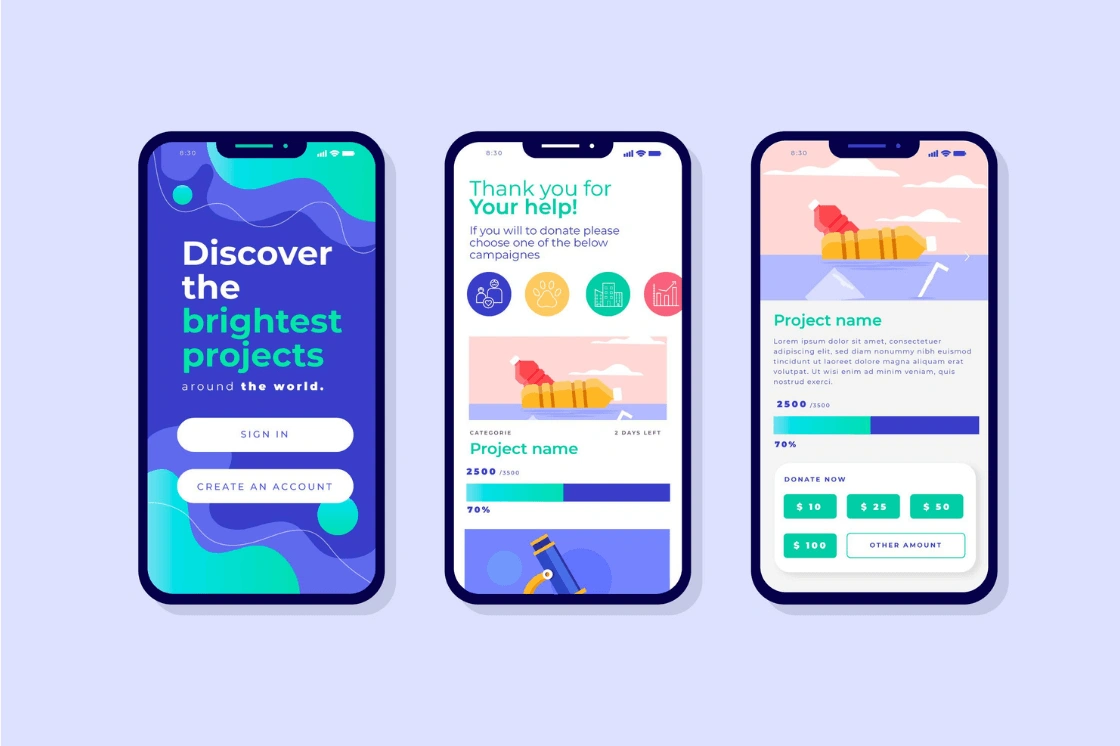
Three mobile screens showing a project discovery and donation app with sign-in, progress bars, and donation options.

Image Source: EitBiz

Users want more than clean code and fast load times. They look for easy-to-use experiences that work naturally on all devices. A great app should delight users every time they use it.

6. Streamlining navigation and screen transitions

Good navigation transitions help users understand your app's structure. They connect parent and child elements through hierarchical transitions, while peer transitions link equally important screens [6]. These transitions show how different parts of your app relate to each other. Users can build a mental picture of your application.

Modern frameworks make complex transitions more available. iOS developers can create smooth hero animations with minimal code using the NavigationTransition protocol [7]. Android offers predictive back animations that boost the user experience during navigation.

Your transitions should support the app's structure without distracting users. Keeping navigation elements in consistent places builds familiarity. Users can focus on content instead of looking for controls.

7. Improving onboarding with guided tours

First impressions can make or break your app. Product tours show new users around, highlighting key features that lead to their "aha moment"—when they first see your app's value [3].

Good guided tours should:

  • Follow a logical sequence instead of random tooltips
  • Show core value, not every small feature
  • Stay short (3-5 steps) to respect users' time [3]
  • Show clear next steps and where to find help

Statistics show that three-step tours have 72% completion rates. Seven-step tours only reach 16% completion [8]. Tours placed next to on-page triggers achieve almost 70% completion rates [8].

Companies that use interactive walkthroughs instead of passive tours see their activation rates rise by 47% [9]. This proves that guided interaction works better than just watching.

8. Boosting responsiveness of interactive elements

Today's digital world expects more than static content. Users want interactivity that responds right away to their input [10]. Interactive elements make the experience smoother and keep users engaged.

Think about why you add interactive features. Good design has purpose and isn't overwhelming. Every hover effect, animation, or clickable element should help users complete their tasks [10].

Visual feedback keeps users engaged. Your app should respond immediately through subtle animations, color changes, or haptic feedback [11]. This creates a natural conversation between user and interface.

9. Ensuring accessibility compliance across devices

Mobile accessibility helps all users, whatever their abilities. A responsive app fits its layout, content, and features to different screen sizes and device types [12].

Key accessibility features include:

  • Layouts that adapt to screen sizes
  • Easy-to-tap targets in reachable places
  • Support for VoiceOver and TalkBack screen readers
  • High contrast options and adjustable text sizes

Accessibility testing early in development makes both ethical and business sense. Apple and Google provide many accessibility tools, including VoiceOver for iOS and Assistive Access for cognitive disabilities [13].

These interface improvements make your app better to use. The result shows in higher download rates and user retention.

App Store Optimization (ASO) for Visibility

Your app's visibility in app stores determines its success among millions of competitors. Search drives more than 60% of global app store downloads [4]. This makes App Store Optimization (ASO) a crucial part of your acquisition strategy.

10. Keyword optimization in app metadata

Keywords are the foundations of ASO success. The right keyword selection helps users find your app in both Apple App Store and Google Play. Rather than cramming every related term into your metadata, you need a well-laid-out keyword strategy based on:

  • Relevancy: Pick terms that match your app's functionality [5]
  • Search volume: Focus on terms users actually look up [5]
  • Competition: Mix popular high-volume terms with niche keywords where you can rank better [14]

Your app title and subtitle fields should contain priority keywords since store algorithms give them the most weight [14]. Explore generate ASO-optimized metadata to streamline this process. The keyword field lets you target extra terms without users seeing them, including specific niche phrases [14]. The Apple App Store differs from Google Play because it doesn't use description text to rank apps [14].

11. A/B testing app icons and screenshots

Even minor visual tweaks can lead to big changes in conversion rates. Native A/B testing features are now available in both app stores to help optimize your creative assets.

Apple's Product Page Optimization (PPO) lets you test different versions of icons, screenshots, videos, and promotional text [15]. Google Play's Store Listing Experiments help you test various elements in multiple countries at once [2].

The right icon could double your downloads [16]. The right character, feature, or cultural content in specific markets can boost your conversions substantially [15].

12. Using app store optimization tools for tracking

ASO tools help turn hunches into evidence-based decisions. Explore best app store optimization tools to streamline this process. These platforms give you keyword research capabilities, competitor analysis, and performance tracking.

Popular tools like AppTweak, App Radar, and AppFollow help you understand search behavior and keyword rankings [4]. These platforms usually include:

  • AI-powered keyword suggestion features [17]
  • Tools to watch competitor moves and spot opportunities [2]
  • Dashboards that show your ranking performance [2]
  • Systems that analyze user feedback in reviews [2]

13. Partnering with an app store optimization company

ASO needs constant work, smart strategy, and deep knowledge of store algorithms and user behavior [2]. Explore app store optimization fundamentals to streamline this process. Working with specialized agencies is a great way to get results when your team is stretched thin.

ASO companies deliver complete services from keyword research to metadata optimization, creative testing, and review management [18]. Leading agencies like Phiture run hundreds of tests weekly and turn results into downloads for major clients [19].

Agency services cost between $10,000 yearly to $2,000 monthly [20]. These experts help turn visibility challenges into download opportunities through smart optimization strategies [19].

Behavior Analytics and User Feedback Loops

Hidden user frustrations can ruin apps that seem technically perfect. Analytics tools reveal what users actually do—not just what they claim to do—and give an explanation about where to focus app improvements.

14. Using heatmaps and session replays to identify friction

Heatmaps show user interactions through visual data with color gradients that display engagement patterns. Red and orange colors show high-activity areas, while blue and green indicate low interaction [1]. These visuals quickly show which elements catch users' attention or get overlooked.

Mobile-specific heatmaps track unique interactions like:

  • Tap intensity and rage taps (quick repeated taps showing user frustration)
  • Unresponsive gestures (taps that yield no response)
  • Scroll depth patterns and where users give up

Session replays work alongside heatmaps to show the complete user trip. They capture every tap, swipe, and scroll, so you can see real user experiences directly [21]. This helps explain why 70% of visitors might quit a form before finishing [22].

Companies like Contentsquare, Microsoft Clarity, and UXCam provide both heatmap and session replay tools that help spot design issues quantitative data might miss [23].

15. Collecting user feedback through in-app surveys

Heatmaps show where users have trouble, but in-app surveys tell us why. These quick questions gather feedback without interrupting users. They appear at key moments—after using a feature or before canceling a subscription [24].

Users respond more often to in-app surveys than email surveys [24]. Short surveys work best—limiting them to four questions makes more people complete them [24]. Progress bars help by showing users how close they are to finishing [24].

Different feedback formats serve different purposes:

  • Quick reactions (star ratings, emoji responses, thumbs up/down)
  • NPS or CSAT surveys to measure satisfaction
  • Open-text fields to get detailed feedback about specific features

Visual behavior analytics combined with direct user feedback creates a continuous improvement cycle. This system finds problems, tests solutions, and checks improvements—leading to conversion increases up to 55% [25].

Monitoring, Testing, and Continuous Improvement

Apps need constant monitoring after launch, no matter how refined they seem. Research shows all but one of these users never report problems [6], which makes proactive monitoring crucial to keep apps running smoothly.

Crash monitoring and resolution workflows

Good crash reporting turns hidden failures into practical data. Today's tools capture complete crash snapshots that go beyond basic error codes. These tools integrated with session replays let you see exactly what happened before the crash [7], which helps find the mechanisms faster. A clear resolution process will give a quick response to serious issues while properly prioritizing minor bugs.

Performance tracking with Firebase and Mixpanel

Firebase Analytics provides free performance tracking that works great for apps with thousands of users [26]. It shows data about user acquisition, participation, and demographics. Mixpanel digs deeper into user behavior by tracking specific actions like button clicks or video plays [26]. These tools help you understand both what happens in your app and why users take certain actions.

Running usability tests to confirm UX changes

In stark comparison to this common belief, mobile usability testing doesn't need expensive equipment [27]. External cameras remain the best way to capture screen activity and finger movements [27]. The testing environment plays a crucial role - proper lighting prevents glare and good network connection allows testing under different conditions [27]. The best results come from participants who have used their devices for at least three months, which prevents skewed data from newcomers still learning simple functions [27].

Conclusion

We've explored fifteen powerful ways to boost your app's performance and market presence. Modern users expect excellence and will abandon apps within seconds if they don't meet their standards. These strategies aren't optional - they're crucial to survive in today's competitive app marketplace.

Code splitting, resource compression, and strategic caching are the foundations of a successful app. These methods speed up your application and reduce battery consumption to create a continuous connection that keeps users involved.

User experience improvements create user-friendly interfaces that guide people naturally through your app. Smart navigation, thoughtful onboarding, and responsive elements work together to build user confidence. Your app can reach the widest possible audience whatever their abilities or devices through accessibility compliance.

App Store Optimization connects your excellent app with potential users. Explore AI metadata optimization tools to streamline this process. Keywords, visual assets, and metadata affect discoverability directly. Analytics tools provide valuable insights to improve continuously. This visibility layer often determines whether an app remains unknown or succeeds.

Behavioral analytics and user feedback complete the optimization cycle by showing real user experiences instead of assumptions. Heatmaps, session recordings, and smart surveys reveal friction points that might stay hidden otherwise. This allows targeted improvements where they matter most.

Numbers tell the story - our research shows these techniques can boost downloads by 312% and improve retention rates substantially. Companies using these strategies have fewer crashes, faster load times, and happier users.

Your app can stand out among millions of competitors. These fifteen proven techniques give you the tools to turn your application from good to great. Success comes from constant testing, monitoring, and refinement based on real user data.

Start small if you need to - even a few of these strategies can make a big difference. App optimization works like a marathon, not a sprint. Each improvement builds on previous wins to create an app users truly love.

Key Takeaways

These proven app optimization strategies can transform your mobile app's performance and dramatically increase downloads through systematic improvements across technical performance, user experience, and visibility.

Performance optimization is critical: Code splitting, resource compression, and caching can reduce load times by 20-80%, preventing the 90% user abandonment rate caused by poor performance.

User experience drives retention: Streamlined navigation, guided onboarding tours, and responsive interfaces create intuitive experiences that keep users engaged beyond the critical first three days.

App Store Optimization boosts discoverability: Strategic keyword placement, A/B testing visual assets, and leveraging ASO tools can significantly increase visibility among millions of competing apps. Learn more about automated app store metadata creation.

Data-driven insights enable continuous improvement: Heatmaps, session replays, and in-app surveys reveal actual user behavior patterns, allowing targeted fixes that can increase conversions by up to 55%.

Monitoring prevents invisible failures: Since only 1% of users report issues, proactive crash monitoring and performance tracking tools are essential for maintaining optimal app health and user satisfaction.

The combination of these techniques creates a comprehensive optimization framework that addresses every aspect of the user journey, from initial discovery through long-term engagement, ultimately leading to measurable business growth.

FAQs

Q1. Explore AI-powered metadata generation to streamline this process. How can I increase app downloads without spending money on advertising?
Focus on App Store Optimization (ASO) by optimizing your app's metadata with relevant keywords, creating compelling visuals, and encouraging user reviews. Leverage social media and content marketing to increase visibility, and consider implementing a referral program to incentivize existing users to share your app.

Q2. What are some effective strategies for improving app store visibility?
Implement a comprehensive ASO strategy by researching and targeting relevant keywords, A/B testing your app's icon and screenshots, and localizing your app for different markets. Utilize ASO tools to track your app's performance and adjust your strategy accordingly. Additionally, focus on improving your app's ratings and reviews to boost credibility.

Q3. How can I optimize my app's performance to retain more users?
Implement efficient code splitting and lazy loading techniques to reduce initial load times. Compress resources and optimize image formats to decrease app size. Use caching strategies to improve data access speed and minimize network requests. Regularly monitor crash reports and performance metrics to identify and resolve issues promptly.

Q4. What user experience enhancements can help increase app engagement?
Streamline navigation and screen transitions to create an intuitive interface. Implement an effective onboarding process with guided tours to highlight key features. Enhance the responsiveness of interactive elements and ensure accessibility compliance across different devices. Use behavior analytics tools like heatmaps and session replays to identify and address user friction points.

Q5. How can I gather and utilize user feedback to improve my app?
Implement in-app surveys to collect direct user feedback at strategic moments, such as after completing a feature or before canceling a subscription. Use analytics tools to track user behavior and identify pain points. Regularly analyze user reviews and ratings for insights. Create a feedback loop where user input directly informs your app's development and optimization process.

References

[1] - https://vwo.com/blog/mobile-app-heatmap/
[2] - https://www.apptweak.com/en/aso-blog/best-aso-tools
[3] - https://www.appcues.com/blog/product-tours-walkthroughs-ultimate-guide
[4] - https://passion.io/blog/free-aso-tools
[5] - https://www.apptweak.com/en/aso-blog/app-store-keyword-research-aso
[6] - https://raygun.com/learn/the-complete-guide-to-error-monitoring-and-crash-reporting
[7] - https://uxcam.com/blog/how-to-improve-mobile-app-performance/
[8] - https://www.chameleon.io/blog/how-to-build-effective-product-tours
[9] - https://userpilot.com/blog/interactive-walkthroughs-improve-onboarding/
[10] - https://www.fluer.com/blog/design/designing-interactive-elements-to-enhance-user-experience
[11] - https://uxplanet.org/7-tips-to-enhance-mobile-interactions-d393245522b9
[12] - https://www.browserstack.com/guide/how-to-make-an-app-responsive
[13] - https://vispero.com/resources/mobile-accessibility-how-to-create-accessible-mobile-apps/
[14] - https://splitmetrics.com/blog/app-store-keyword-optimization/
[15] - https://developer.apple.com/app-store/product-page-optimization/
[16] - https://apparencekit.dev/flutter-tips/ab-test-apple-app-icons/
[17] - https://www.luciq.ai/blog/app-store-optimization-tools
[18] - https://scopicstudios.com/blog/top-aso-agencies-to-boost-mobile-app-marketing/
[19] - https://ninjapromo.io/top-app-store-optimization-companies
[20] - https://www.businessofapps.com/marketplace/app-store-optimization/aso-tools/
[21] - https://contentsquare.com/guides/session-replay/
[22] - https://usermaven.com/blog/user-behavior-analytics-tools
[23] - https://www.fullstory.com/blog/behavior-analytics-tools/
[24] - https://userpilot.com/blog/in-app-surveys/
[25] - https://contentsquare.com/guides/behavior-analytics/use-cases/
[26] - https://rapptrlabs.com/blog/mixpanel-vs-firebase-analytics-what-you-need-to-know/
[27] - https://www.nngroup.com/articles/mobile-usability-testing/

Related Articles

App Optimization Mastery: 15 Proven Techniques That Increased Downloads by 312% | AppDrift