AI metadata generator
AI App Description Generator
Draft titles, descriptions and keywords for App Store and Google Play in 60+ languages. AI uses your app brief and audience; you review the wording, facts and field limits.
Free account · No card · 50 one-time AI tokens
See it in action
Explore a prepared metadata draft
This illustrative FitTrack example shows the fields in a draft. It uses prepared text and makes no live AI request.
Check the public listing separately
The free score checker reads an existing public listing. It checks the text returned by the store; unavailable iOS subtitle and keyword fields are excluded. A draft is not a published listing or a ranking forecast.
What is this? AppDrift's AI metadata generator writes App Store and Google Play metadata — app names, subtitles, keyword fields, descriptions, promotional text, and release notes — as editable drafts. Describe your app, choose a tone, and review the generated copy in any of 60+ languages. Free to start; upgrade to Indie from $29/mo when you need more.
Brand voice
One app, four voices
Choose a tone that matches your brand. The same app gets completely different metadata depending on the voice you select.
FitTrack Pro - Gym Tracker
AI Powered Personal Training
Achieve your fitness objectives with data-driven workout plans, comprehensive progress analytics, and expert-backed nutrition guidance.
How it works
From app description to a reviewed draft
Describe the app, choose languages, review the draft and decide whether to send an update.
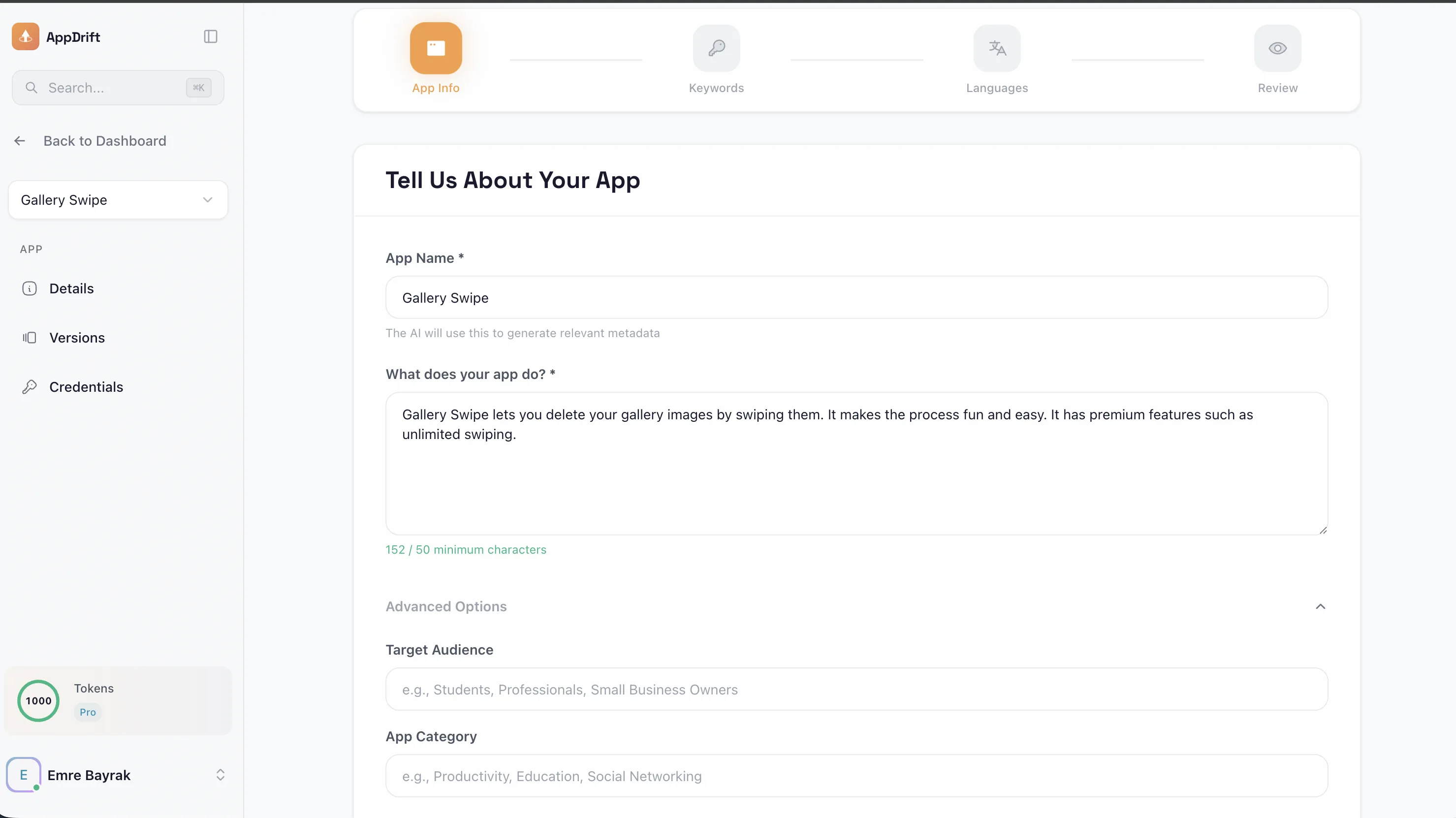
Describe Your App
Tell us what your app does, who it’s for, and what makes it special.
Choose Markets
Select the store and target languages. Review wording with someone who understands each market.
AI Generates
AI prepares editable titles, descriptions and keywords for your review.
Review & Save
Edit the draft, save useful wording, then choose whether to send it to a connected store. Sending is a separate paid action.
Output
What AI generates
Review the fields supported for each store, including their current limits.
App Store
6 metadata fieldsGoogle Play
4 metadata fieldsFeatures
Write the fields your store listing needs
Draft clear store copy, then check that it accurately represents your app.
AI Powered Generation
AI uses your app’s core information to prepare metadata drafts. Review wording, relevance and product claims before publishing.
Editable store copy
Prepare listing text around your supplied app details. Check relevance and accuracy; generation does not guarantee rankings or downloads.
Keyword Integration
Suggest wording around relevant terms and review it for clarity. AI suggestions are not measured search volume.
Locale-Specific Copy
Generate a draft for each selected locale from your app brief. Check terminology, product availability and meaning in each language.
Field-length review
Check the generated text against each field’s limit and edit it where needed before sending it to a store.
Brand Voice Control
Define your tone — professional, casual, playful, or technical. Review the output against your chosen tone.
FAQ
Common questions
A free account includes 50 one-time AI tokens. Generation uses tokens; check the displayed cost before confirming. Additional tokens and paid plans are available. The separate description template tool works without an account and does not use AI.
Generation starts from your app brief and prepares new listing drafts. Translation starts from existing wording. Both need a review for factual accuracy, terminology and the target store’s limits.
Yes. Edit the draft before saving or sending it. Check that every feature, price, rating and benefit matches your actual app. Regeneration uses another request and its displayed token cost.
Yes. App Store and Google Play have different fields. Review the title, subtitle or short description, full description and any additional fields before using the draft. Apple’s keyword field is limited to 100 characters in every language.
Generated suggestions are wording ideas based on the request. They are not evidence of keyword demand, current competitor rankings or likely downloads. Supply relevant terms from your own research and check the finished text for readability.
No. Generation prepares an editable draft. Sending supported fields to a connected store is a separate action that requires an eligible paid plan and credentials. Review the destination and store status before confirming.
The separate public score checker reviews listing text returned by the store. Unavailable iOS subtitle and keyword fields are excluded, and Google Play has no keyword field to score. Its rule-based checklist is not a forecast of rankings or downloads, and it does not grade an unpublished generated draft.
Prepare your next app description.
A free account includes 50 one-time AI tokens. Buy more tokens or choose a paid plan for ongoing work. Store publishing requires a paid plan and connected credentials.
From your app brief to a description you can use
Start with a specific task your app helps someone complete. Include three real features, your intended audience, pricing or access limits, and words your customers already use. AppDrift uses that brief to prepare editable listing text.
- Choose the store and language. App Store drafts include a title, subtitle and full description. Google Play drafts include a title, short description and full description.
- Review the opening. The first lines should explain what the app does. Replace vague promises with a concrete action, such as “Record a set, save the weight and compare it with your last workout.”
- Check every claim. Remove invented awards, ratings, medical benefits or features. Check that trial and subscription wording matches your actual offer.
- Save and choose the next step. Keep the reviewed draft for your release. Sending text to a connected store is a separate action; it does not make every change immediately public.
AI drafting or a fill-in template?
AI drafting requires an account and tokens. A free account starts with 50 one-time AI tokens. Review the displayed cost before generating; later generations use more tokens. You can buy additional tokens or choose a paid plan. Supported store sending requires an eligible paid plan and connected credentials.
If you want an outline without signing up, use the free app description template generator. It fills a prepared structure from your inputs and does not call AI. For writing examples, read how to write an app store description.
Keep the final text within store limits
Both stores allow a 30-character title and a 4,000-character full description. Apple also has a 30-character subtitle and a keyword field limited to 100 characters in every language; Google Play has an 80-character short description. Use the character counter to check the final version, especially after translation.
These limits follow Apple’s field reference and Google Play’s listing reference, checked September 12, 2026. A field within its limit still needs clear, accurate copy.
Bring research into the brief
Include relevant terms you have researched. Generated keyword suggestions are wording ideas, not measured demand, current competitor analysis or a ranking prediction. After reviewing your copy, use Listing updates to organize wording and the next release, or translate an approved source listing.
Ari by AppDrift
A clearer brief starts with a conversation.
Meet Ari, your AppDrift assistant. Discuss the saved evidence for your app, decide what to improve, then continue in the listing generator to prepare a reviewable draft.
Ari is included with paid Basic, Indie and Studio.
Meet Ari