
Start with the part of your app's growth that needs attention. Perhaps people cannot find it, the listing leaves them confused, or new users leave before finishing anything. The approaches below can help you choose what to try next.
These are options to evaluate, not a ranked market forecast. Each item explains when it fits, what to try and how to judge the result. For an overall plan, use the mobile app marketing strategy guide.
1. AI-assisted creative with human review

AI can help produce alternate copy, layout directions and translation drafts. The harder part is often checking the results. Each variation still needs to describe the app accurately and give people a reason to try it.
Try: use one real app capture to prepare two clearly different first-screen messages. Check product accuracy, text readability and coherent style across the gallery before testing.
The AI screenshot generator creates editable campaign drafts. Generation uses tokens; Free and Pro template access remain separate. Judge the output by whether you can finish and export a useful set, then by a suitable store experiment.
2. Store pages matched to a specific audience
A general product may serve several tasks. A fitness app can emphasize home workouts for one audience and gym logging for another, provided both are real supported experiences. Keep the campaign promise, first screenshots and in-app destination aligned.
Apple supports additional custom product pages with unique links and keyword assignments for relevant search results. Treat the pages as audience destinations; a comparison between different audiences does not isolate the page design's effect.
Try: build one page for an existing acquisition source. Measure its downloads and downstream use against a comparable baseline rather than creating every possible variation.
3. Demonstrations that explain the actual task
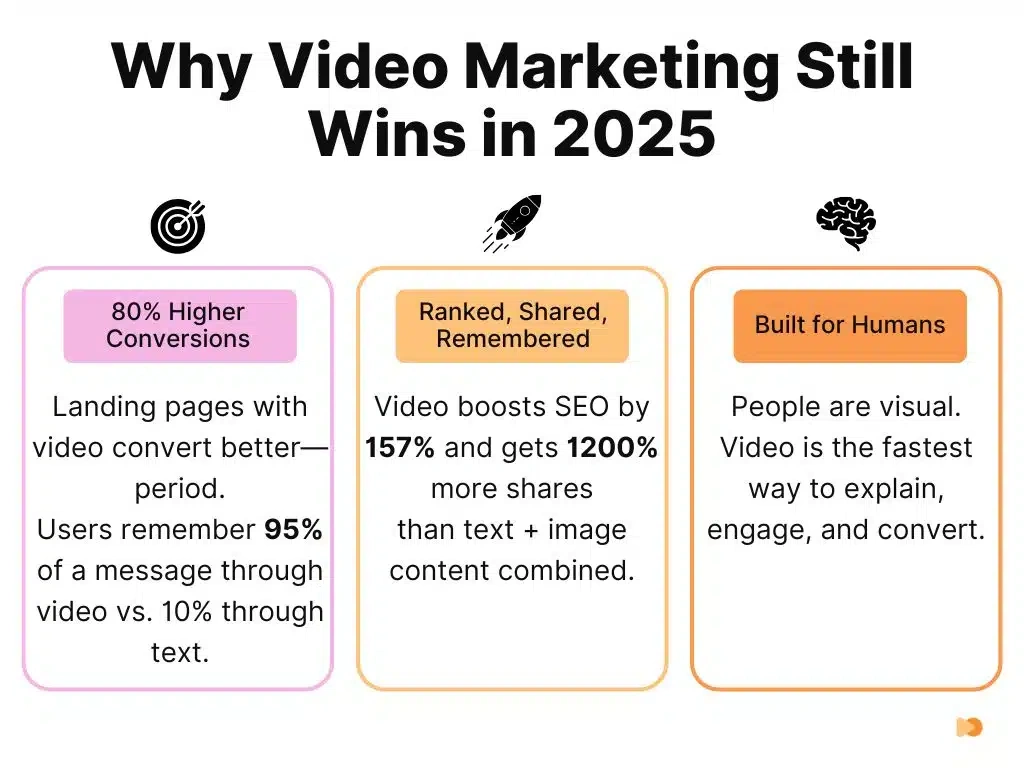
A short demonstration can show an interaction that a static image cannot: scanning a document, editing audio, or completing a workout. Start with the task and result, keep text legible, and make the core message understandable without sound.
Try: record one real workflow and remove setup that is not needed to understand it. Watch it at phone size with audio off. Separate a social video from an App Store preview, because their content and technical rules differ.
Check Apple's app preview guidance before preparing a store video. A more expensive video is not automatically a better conversion asset.
4. Creative experiments that answer a clear question

A useful test compares meaningful alternatives: "see your completed budget" versus "organize spending categories," for example. Color-only changes can be valid, but they should answer a question rather than fill an experiment calendar.
Try: write down what you expect to change, which metric will show it and how you will decide. Keep the original version for comparison, and note other releases or campaigns during the test.
Use the store A/B testing guide to separate native randomized creative tests from manual metadata observation.
5. Privacy-aware measurement

Marketing decisions still need evidence, but not every acquisition can be linked to an individual person. Reporting may be delayed, aggregated, consent-limited or missing. An honest report keeps unattributed outcomes visible instead of allocating them to whichever campaign looks most successful.
Try: map the data source for each metric. Document whether an install is store-reported, device-reported or attributed by a provider, and preserve that distinction when comparing channels.
Review Apple's privacy and data-use requirements for relevant tracking activity. Platform rules and your actual implementation must both inform the collection plan.
6. Localization guided by observed demand
Translation is easier to produce than a successful market launch. A new locale also needs understandable screenshots, a working product, suitable payments where relevant, and a realistic support plan. Choose a language when people who speak it can use and benefit from your app.
Try: choose one market with qualified visits or explicit requests. Have a fluent reviewer check the title, screenshots, pricing context and first task. Record the pre-launch baseline.
The metadata translation workflow can prepare drafts in supported languages. Review the output and displayed cost; language coverage alone does not establish cultural accuracy.
7. Search work focused on specific intent
Broad category words are not always the best first target. A phrase that describes the app's task may bring fewer visitors but better-qualified ones. Inspect the actual results and ask whether your current product belongs among them.
Try: list a handful of task phrases from real user language. Record relevance, returned competitors and current rank in the same country before making a metadata change.
Our long-tail keyword study provides model-based observations and limitations, not a guarantee that adding words makes a term easy to rank for.
8. Useful public content connected to one next task
A tutorial should help someone complete something, even if they never buy. Generic posts about every adjacent topic can attract traffic with little connection to your product. Match each article to a question your audience asks at a real decision point.
Try: improve an existing page with a worked example, current source and one relevant next action. Measure the resulting task starts and completed outputs separately from page views.
For an app builder, a screenshot-sizing guide can lead naturally to a checked export. An unrelated industry prediction usually cannot. Use internal links to explain the next step rather than inserting a product link into every paragraph.
9. Lifecycle messages triggered by customer need
A reminder works best when it connects to something the person chose: unfinished work, a scheduled activity or new content they requested. Sending more messages is not a retention strategy on its own.
Try: define one trigger and why the message is useful at that moment. Make preferences clear, stop when the task is completed, and measure the task outcome alongside opt-outs or complaints.
Keep product reminders, marketing campaigns and billing notices distinct. Do not treat an open event as proof of engagement or a user's permission for a different kind of message.
10. Retention defined around repeat value
Not every product should be opened every day. A travel utility may be useful for a trip, while an invoicing app may be needed monthly. Pick an interval that reflects the actual job and account for cohorts that have not had time to return.
Try: define the task you expect people to repeat. Look at users who have had enough time to return, and compare their first experience with later use. Ask people who leave about their last actual task rather than requesting speculative feature wish lists.
Keep retention and store ranking claims separate. A better customer experience is valuable even when you cannot prove a direct ranking effect.
11. Product quality as an acquisition constraint

More traffic will not fix a broken first session. Check startup, crashes, sign-in and the first useful action before promoting the app more widely.
Google's Android vitals guidance documents how core quality signals can affect Play visibility. Diagnose the actual issue with the console's current reports instead of turning a general retention benchmark into a ranking rule.
Try: identify one affected device or version cohort, repair the failure, and verify the same population after release. Record the technical outcome separately from any acquisition change.
12. Small, relevant partnerships
A creator or community that understands the task may be more useful than a large generic audience. Evaluate what their audience is trying to do, how your app helps and whether the demonstration can remain accurate.
Try: prepare one useful example and a destination that matches it. Agree on scope, disclosure and usage rights before a paid partnership. Track identifiable referrals and useful product work without assuming all later growth came from the placement.
Organic community participation requires the community's rules and an actual reason to contribute. Repeated promotional replies can damage trust even when each one contains a relevant keyword.
13. Marketing reports that end in a decision
A useful report shows what you spent, whom you reached and what people did next. Include team time as well as money. Count trials, payments and renewals separately so you can see where progress stops.
Try: end the report with one decision: continue, revise, stop or collect a specified missing observation. Name who will take the next step and what result would justify continuing.
The ASO report template supports listing work. Keep the report small enough to update consistently; its purpose is to improve the next decision, not produce another dashboard.
Frequently asked questions
Which mobile marketing trend should a small app team prioritize?
Choose the approach that addresses your clearest problem: getting found, earning an install, helping people finish a task or bringing them back. Try one small experiment and measure that outcome.
Does AI creative automatically improve app downloads?
No. AI can help prepare alternatives, but the output still needs review for accuracy, readability and audience fit. A suitable experiment is needed to assess conversion impact.
Do all apps need more personalization?
No. Personalization should help a real customer task and use appropriate data. A clear default experience is often the better first investment when the team lacks evidence of differing needs.