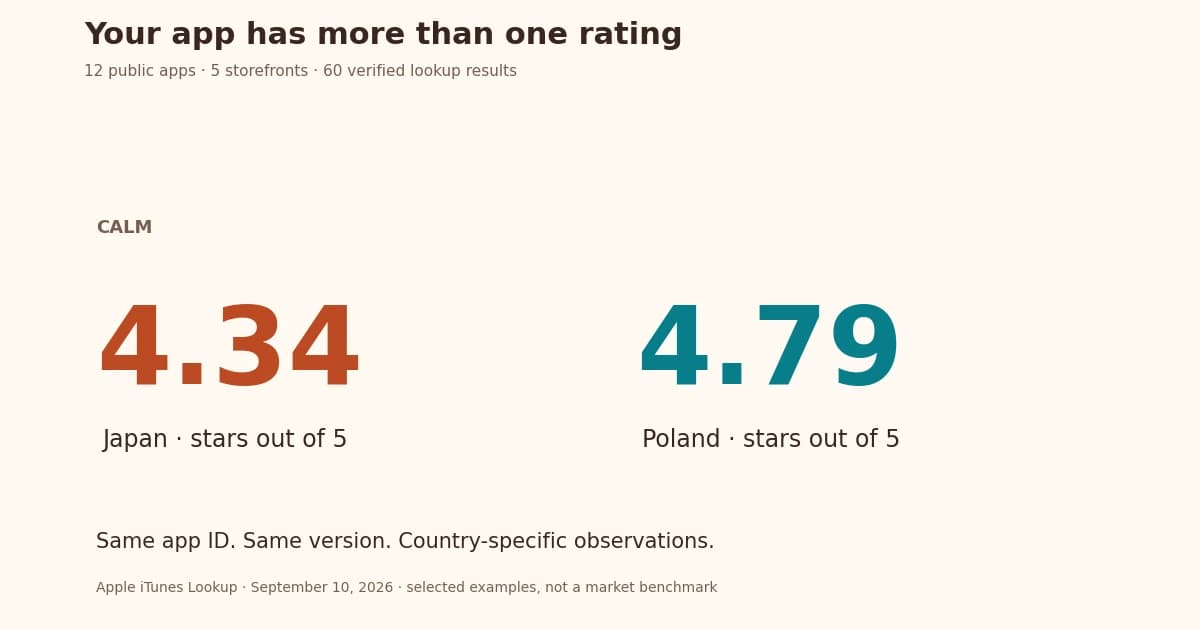
App localization can make a listing easier to find and understand, but it does not promise a fixed increase in installs. The result depends on who needs your app, how clearly the listing explains it and whether people can use it after installing. Start with one market and measure the full journey.
Start with a market where you already have a signal of interest. Use metadata translation to prepare a draft, then have it reviewed. Track how people find the app and what they do after installing. Translating every supported language at once can leave you with more copy than you can maintain.
How localization may change the install journey
People can understand the listing
A local title and clear explanation help readers decide whether the app solves their problem. Be clear about what the app supports. If conversations work only in English, say so in the translated listing. Removing a language barrier from the marketing while leaving it in the core task can create disappointed users.
The words may match local searches
A direct dictionary translation is not a keyword strategy. People may use a local phrase, an English loanword, or a more specific task name. Apple describes relevance factors including the name, subtitle, and keywords in its search guidance. Researching local wording can therefore help you choose relevant terms, although adding a locale does not guarantee a higher rank.
The screenshots can explain the same promise
Use real UI captures from the localized product where available. Rewrite captions so they remain readable, and check currency, dates, names, and language direction. A beautiful caption around an English-only screen should not imply that the app itself is translated. The screenshot editor helps arrange those captures and captions into a consistent set.
Choose a pilot with a testable question
Write a narrow question such as: “Can German-speaking users understand our shared-shopping workflow and complete their first list?” This is more useful than “Will translating into German grow revenue?” because you can inspect the listing and observe a real task before waiting for a large audience.
- Check existing visits, installs, paying customers, and support requests for the market.
- Read relevant local store listings and reviews to collect task language.
- Confirm that the app works there, including sign-in, content, payments, and support.
- Choose a scope that you can review and maintain after the pilot.
Our language prioritization guide provides a decision table. A large national app market does not tell you how many people will need your particular app.
Adapt five listing elements together
- Name and short copy: keep the recognizable brand, explain the useful task, and check the field allowance.
- Keywords: research relevant local phrases and avoid competing app names or irrelevant terms.
- Description: explain what users can do, any requirements, and important limitations.
- Screenshots and previews: show the corresponding product experience with readable captions.
- Release notes and support: make current changes understandable and give users an accessible help path.
Keep your source copy and reviewer decisions together. Listing updates can prepare a version for review; you choose separately whether to request approval, copy the text to drafts or send supported fields to a store. Translating the listing does not translate the app itself.
Measure the stages separately
| Question | Evidence to record | Interpretation limit |
|---|---|---|
| Did more relevant people find it? | Store/search impressions and visits by available market and source | Advertising and seasonality also change traffic |
| Did the listing explain the value? | Store-defined conversion metric, numerator, denominator, dates | Different stores and reports use different populations |
| Did people complete the job? | First useful action and language-specific feedback | An install is not a successful product experience |
| Did the investment pay? | Contribution, refunds, support and maintenance cost | Gross revenue is not profit or attributed uplift |
Illustrative arithmetic: 200 first-time downloads from 1,000 eligible product-page visitors is 20% for that defined population. A later 240 from 1,000 is 24%, an increase of four percentage points or 20% relative. Neither calculation proves translation caused the change. Record concurrent campaigns, version changes, and any difference in the traffic mix.
Use the right experiment
A before-and-after comparison can reveal a change, but not necessarily its cause. Where available, use the store's native experiment tools for supported assets or text fields. Apple's product page optimization tests icons, screenshots, and previews; it is not a test of arbitrary description translations.
Keep the audience, hypothesis, and primary metric clear before launching a test. Do not stop as soon as the dashboard looks favorable. If traffic is too sparse for a reliable result, record that uncertainty and use user feedback to correct obvious problems.
What to do when installs do not improve
First check that the new listing is live and appears with the expected language and country settings. Then look for where people stop. Few visits may point to a search or demand problem. Visits without installs may mean the listing is unclear or unconvincing. Installs without useful activity call for a closer look inside the app. Translation is only one possible cause.
Compare the complete cost with observed outcomes using the localization budget guide. Preserve the reviewed work even if you pause expansion, and update it when the product changes.
Frequently asked questions
Does app localization guarantee more downloads?
No. It can improve relevance and comprehension, but outcomes depend on demand, traffic, product fit, and execution. Measure a scoped pilot before expanding.
What should I localize first?
Start with one supported market and a complete listing: title, short copy, relevant keywords, description, and screenshots. Make the listing truthful about the languages supported inside the app.
How should I measure localization success?
Record discovery, store-defined conversion, first useful product action, retention, and contribution separately. Keep dates, populations, costs, and concurrent changes with the results.
Is a before-and-after increase proof that localization worked?
No. It is observational evidence. Advertising, seasonality, product changes, and traffic composition can also explain the change.