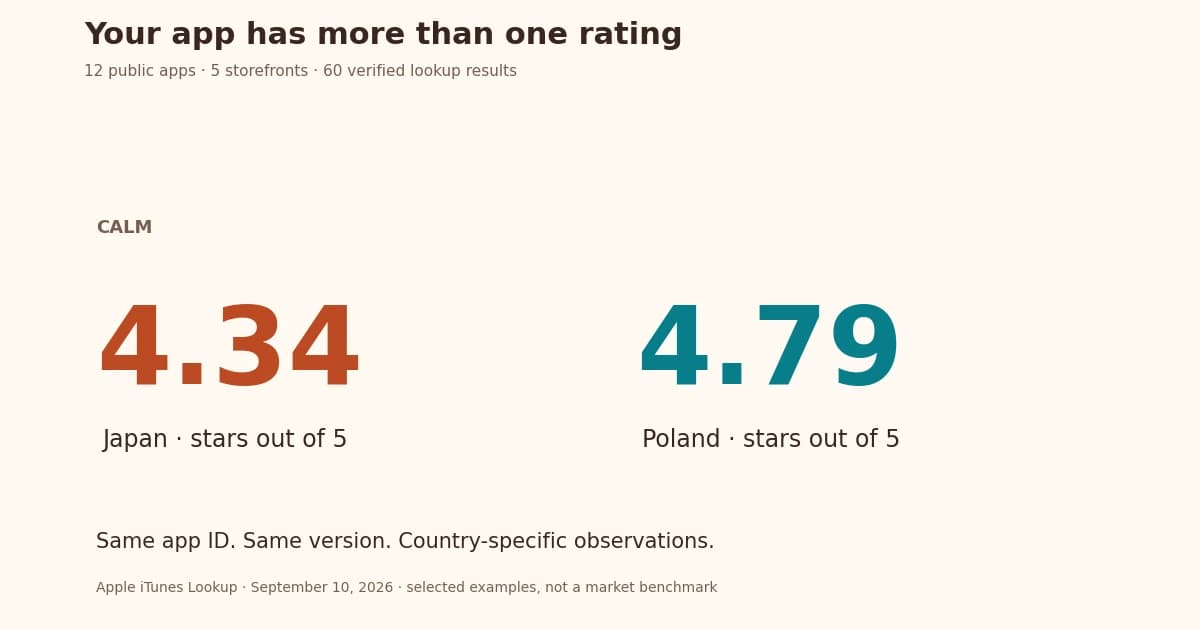
A global app launch needs a supported product, a reviewed local listing, and a way to maintain both. Choose markets using customer demand and operational readiness. A language spoken by many people does not establish your app's reachable audience.
Plan internationalization early so text, layout, formats, and resource files can support the intended locales. Test actual translated phrases; a fixed expansion or lost-user percentage does not apply to every app.
A missing translation or clipped button can make a familiar task confusing. Plan the code, review and testing together so you can catch those problems before release.
This guide covers resource files, layouts, regional formats and the information translators need. Start with one market and repeat the process when you are ready to expand.
Key Takeaways
Keep these checks in your launch plan:
• Plan internationalization from day one by externalizing text, using UTF-8 encoding, and designing flexible layouts that accommodate the actual translated text in other languages.
• Avoid hardcoded strings and concatenated text. Use structured placeholders and full-sentence translations with tokens that translators can rearrange naturally.
• Use full locale codes (en_US vs en_GB) and design for right-to-left languages to ensure proper formatting of dates, currencies, and cultural preferences.
• Build translator-friendly workflows with glossaries, style guides, and visual context through screenshots to reduce avoidable review work.
• Implement continuous testing and automated CI/CD integration to monitor regional feedback and maintain quality across all localized versions.
Plan for Localization from Day One
Why internationalization matters early
Internationalization, often shortened to i18n, prepares the app to handle different languages and regions. Localization then supplies and tests the text and other details for each market.
Plan the languages, regions and scripts you need before creating the resource structure. Apple’s localization guide explains how those choices fit together.
That preparation also gives you a place to handle regional formats, language fallbacks and right-to-left layouts as the product grows.
How to structure your code for localization
Proper app structure starts with keeping all user-facing text separate from your code. Store text in resource files like JSON or PO instead of embedding it directly [3].
Watch out for these structural mistakes:
- Never hardcode text strings - Use tokens that swap based on user's locale
- Don't concatenate strings in code - Use structured placeholders for proper grammar across languages
- Implement flexible layouts - Design UI that fits actual translated text and accessibility sizes
Unicode UTF-8 encoding supports all scripts and languages worldwide [4]. Mobile apps should use built-in frameworks like Android's Resources and iOS's NSLocalizedString [3]. These tools handle localization tasks naturally, including date, time, number, and currency formats.
Choosing the right file formats (JSON, PO, XLIFF)
Choose formats supported by your app framework and translation tools. This keeps the localization workflow practical for developers and reviewers. Common options include:
JSON is common in web projects. Use the structure expected by your localization library, including its rules for variables and plural forms. [6]
PO/Gettext files work well with many programming languages and operating systems. Standard compatibility lets them work with tools like Poedit, gted, and Virtaal. WordPress, Ubuntu, and LibreOffice use gettext for translations [5].
XLIFF (XML Localization Interchange File Format) exchanges translations between tools. Check which version your development and translation tools support before exporting files. [5] [7]
Java applications often use Properties files, iOS uses Strings files, and Android prefers XML resources [8].
Choose the format early and try a small export-and-import round trip before translating the whole app.
Avoid Common Localization Pitfalls
Check these implementation details before sending strings for translation.
Hardcoding text and concatenated strings
Text written directly into code is harder to find and update across languages. Move user-facing strings into resource files so a translator can work without editing the application logic. [9]
Hardcoded text leads to multiple problems:
- Wording changes become harder to review
- Each text instance needs manual edits
- Localization timelines stretch substantially [10]
String concatenation creates similar headaches by assembling sentences from fragments. Here's an example:
// Problematic approach
message = "Hello " + userName + ", welcome back!";
This works fine in English but breaks down in languages that use different grammar rules or word orders [11]. The best fix uses full-sentence strings with placeholders that translators can rearrange naturally:
// Better approach
message = translate("hello_message", {name: userName});
// Translation file: "hello_message": "Hello {name}, welcome back!"
Not accounting for text expansion
Translated labels can need more or less room than the original. Plan for text expansion and test the actual wording:
- Test German labels and compound terms in context
- Test French wording and punctuation in context
- Test Spanish phrasing and regional variants [12]
Even a short label can become longer: “Save” becomes “Speichern” in German. The space needed depends on the font and layout, so check the rendered label for:
- Elements colliding
- Unexpected text wraps
- Content disappearing off-screen [12]
Use flexible layouts and test them with the actual translations. [12]
Using images with embedded text
Text embedded in images creates major localization problems. Each language needs brand new graphics that multiply your design work and costs [13].
Better alternatives include:
- Creating separate translatable text layers from visuals
- Making use of text-overlay approaches
- Using optical character recognition in translation management systems [13]
Separate text layers let you update a translation while retaining the underlying artwork.
Skipping Unicode and encoding issues
Check how your app reads, stores and sends Unicode text. An encoding mismatch can corrupt otherwise correct translations. [14]
UTF-8 encoding works best throughout your entire stack:
- HTML documents
- Server configuration
- Database settings
- Application code [14]
UTF-8 supports over 1 million possible code points and covers all modern writing systems, mathematical symbols, emojis, and fictional alphabets [15].
Test text after it has passed through the database, API and interface. Characters that look correct in a local file can still be damaged elsewhere in the system. [15]
Adapt for Culture and Language Nuances
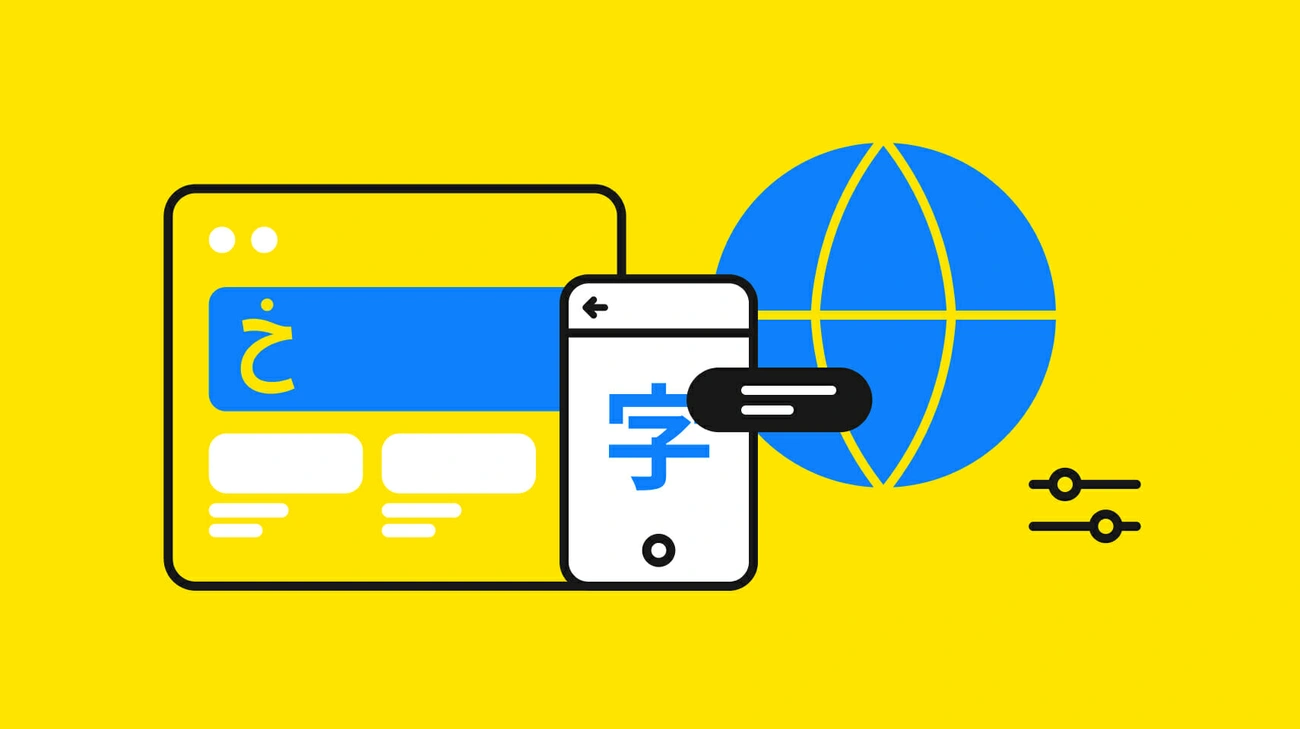
Image Source: Phrase
Review cultural and linguistic choices with the intended audience. Language preference varies by task and customer; avoid turning a broad population statistic into a prediction for your app.
Use full locale codes (e.g., en_US vs en_GB)
Supporting a language alone won't give you a complete indie app launch plan. Apple suggests picking the most specific localization possible instead of just the language [2]. For example, choose "English (United States) (en-US)" or "English (United Kingdom) (en-GB)" rather than just "English (en)."
A language identifier combines a language code with optional region and script codes [2]. This specificity will give a better experience by ensuring:
- Number formats appear correctly (1,000.00 vs 1.000,00)
- Date formats match local expectations (MM/DD/YYYY vs DD/MM/YYYY)
- Currency symbols display appropriately ($ vs £)
Understand regional language variants
Regional language differences can substantially change user experience. The same word often means different things across regions. Take "torta": it's a sandwich in Mexico but means flatbread in Spain [16].
You should think about these variations:
- Different dialects (Mandarin vs. Cantonese Chinese)
- Regional expressions (Brazilian vs. European Portuguese)
- Script variations (Simplified vs. Traditional Chinese)
The system might load resources from a related language if your user's regional variant isn't supported directly [17]. This fallback system isn't perfect, so supporting regional variants directly matters for your app launch strategy.
Design for right-to-left and vertical text
For Arabic, Hebrew and other right-to-left languages, review reading order, alignment and directional controls. Some elements need to mirror, while others must keep their original direction. [18]
RTL support requires you to:
- Review navigation, menus and progress indicators for the correct reading direction [19]
- Keep numbers and untranslated text direction [19]
- Match text alignment with reading direction [4]
- Flip directional icons while keeping non-directional icons the same [4]
Inspect photographs, logos and other non-directional artwork before changing them. Apple’s right-to-left guidance explains which interface elements should adapt.
Avoid cultural missteps in visuals and tone
Review words and images with people who know the intended audience. Avoid relying on a general rule about what a color or symbol means across an entire region. The keyword guide also explains why local task language matters.
Your indie app launch plan should:
- Ask native speakers to confirm images and icons [21]
- Think about cultural appropriateness of humor and expressions [16]
- Match marketing messages to local priorities (formal Japanese keigo vs. casual English) [1]
- Stay away from sensitive topics like religion, politics, or region-specific stereotypes [16]
A fluent reviewer can catch wording and cultural details missed by an automated draft. [22] Give them enough context to assess the actual experience.
Build a Translator-Friendly Workflow
Translators need to know what the app does and where each phrase appears. Prepare that context before handing over the files.
Create a glossary and style guide
A short style guide keeps wording consistent. Include:
- Background information about your company and target market
- Guidelines for tone, personality, and voice
- Specific formatting priorities and syntax rules
- Language-specific instructions for each target region
Create a glossary of product terms, tone guidance, and approved wording. Context and consistent terms can reduce avoidable review work; measure your own editing time rather than assume a fixed cost saving.
Add context with screenshots and comments
The best translators can only guess without proper context [5]. Visual context makes translation more accurate, especially when dealing with short UI phrases that could mean different things. The word "SAVE" could mean saving a password, an animal, money, or a goal, and each might need a different translation [7].
Show your translators where text appears in your interface through screenshots, then map these images to their text strings. Your developers should add notes that explain each string's purpose and context [6].
For store listing copy, AI metadata translation can prepare a draft from the app context. Keep fluent review in the workflow.
Localize the store listing and the product as separate tasks. Drafts still need a reviewer, correct field limits, and a plan for future updates.
Use translation memory and version control
Translation memory stores previously translated segments for reuse. [8] Review suggested matches in their new context; an unchanged phrase may describe a changed feature. Useful parts of the workflow include:
- Updates need translation of changes only, reducing time and costs [24]
- Reuse approved wording and check it against the current context [25]
- Keep outdated translations from being reused without review [26]
Use version control to record which source and translation files belong to each release. That lets you trace a wording change or restore an earlier version. [8]
Test, Iterate, and Localize Continuously
Translation needs continued testing and revision as the product changes. Keep linguistic accuracy, layout integrity, and functional performance as separate QA checks.
Run localization QA checks
Review linguistic accuracy, visual layout, and functional behavior separately. Test the actual translated text rather than assume a fixed expansion percentage.
Use locale-aware libraries for formatting
Your app should handle dates, times, currencies, and numbers based on local preferences. Americans write numbers as 1,000.00, while many Europeans prefer 1.000,00. These small details can significantly enhance your user's experience.
Automate updates with CI/CD tools
Include structural localization checks in your CI workflow: missing keys, placeholders, tags, and resource format validation. Automated checks do not replace linguistic or complete-task review.
Monitor user feedback in each region
Each region's feedback helps measure your app's success. Tools like AppFollow let you track reviews from different markets [29]. Set specific performance indicators for each target location - downloads, transactions, and sign-ups. These metrics will help refine your indie app's launch strategy.
Prepare and maintain the first localized release
Before the first localized release, complete one task in the app from start to finish using the target language. Then review the store listing and prepare the release. For supported Apple listing updates, follow the App Store Connect setup guide.
For Android listing updates, use the Google Play Console setup guide. Keep translated assets, reviewer decisions and release dates together.
After launch, read local feedback and maintain the translation when features change. Compare tool allowances and costs with the amount of recurring work you expect.
Use store publishing tools where they support your listing workflow, and keep build delivery and store review in the release plan.
Ready to Launch Globally?
AppDrift can send supported listing text to connected stores with paid access. Supported Apple screenshot uploads go to an App Store Connect draft after setup; Google Play screenshots are exported for manual upload. Saving, sending, app review, and public availability are separate states. Binary upload and code signing remain in your build workflow.
Frequently Asked Questions
How many languages should I localize my app into for a global launch?
Start with a market where you see demand and can support the full product experience. Finish the translation, testing and review before adding more. AppDrift can draft listing text in 60+ languages; each new language still needs review and maintenance.
What is the difference between internationalization and localization?
Internationalization (i18n) is the process of designing your app's code and architecture to support multiple languages and regions without requiring code changes. Localization (l10n) is the process of adapting your internationalized app for a specific market by translating text, adjusting formats, and adapting cultural elements. Internationalization must happen first during development, while localization is performed for each target market afterward.
How do I handle right-to-left languages like Arabic and Hebrew in my app?
Right-to-left (RTL) language support requires mirroring your entire interface layout, including navigation menus, progress bars, and text alignment. Keep numbers and untranslated text in their original direction. Flip directional icons but leave non-directional icons unchanged. Both iOS and Android frameworks provide built-in RTL support. On Android, set supportsRtl to true in your manifest and use start/end layout attributes instead of left/right.
What file format should I use for localization resource files?
The best file format depends on your platform. Android apps typically use XML resource files, iOS apps use Strings or XLIFF files, and web applications commonly use JSON. XLIFF is the industry standard for cross-platform localization because it works as a bridge between different tools and platforms. Choose your format early in development since it affects translator efficiency and how easily you can integrate updates into your workflow.
How much does it cost to localize a mobile app for global markets?
Cost depends on the amount of text, number of languages, review needs and changes to the product itself. Request a quote for the actual files and include testing and future updates. AI drafts may reduce initial translation work, but they still need review.
References
[1] - https://www.linkedin.com/pulse/app-store-localization-language-led-guide-better-conversions-qdbec
[2] - https://developer.apple.com/documentation/xcode/choosing-localization-regions-and-scripts
[3] - https://circletranslations.com/blog/automated-translation-updates
[4] - https://developer.apple.com/design/human-interface-guidelines/right-to-left
[5] - https://crowdin.com/blog/no-context-no-quality-give-translators-context-to-get-better-translations
[6] - https://help.transifex.com/en/articles/6248331-providing-context
[7] - https://tolgee.io/blog/context-gamechanger-localization
[8] - https://translated.com/resources/translation-versioning-system-content-control-management/
[9] - https://www.braahmam.net/blog/app-localization-services-best-practices-to-win-global-users
[10] - https://www.gridly.com/blog/4-common-localization-roadblocks-for-developers-and-how-to-overcome-them/
[11] - https://poeditor.com/blog/localization-bugs/
[12] - https://thisisglance.com/learning-centre/what-happens-to-my-apps-layout-when-text-expands-in-other-languages
[13] - https://lokalise.com/blog/best-practices-to-remember-when-localizing-mobile-apps/
[14] - https://phrase.com/blog/posts/10-common-mistakes-in-software-localization/
[15] - https://lokalise.com/blog/what-is-character-encoding-exploring-unicode-utf-8-ascii-and-more/
[16] - https://localizejs.com/articles/cultural-mistakes-in-localization-how-to-avoid-them
[17] - https://learn.microsoft.com/en-us/windows/apps/design/globalizing/manage-language-and-region
[18] - https://ronasit.com/blog/right-to-left-design-guide/
[19] - https://m2.material.io/design/usability/bidirectionality.html
[20] - https://graffitistudio.bg/cultural-missteps-localization/
[21] - https://evangelistsoftware.com/blog/cultural-sensitivity-in-app-development-navigating-challenges-and-strategies-for-global-users/
[22] - https://www.ndnu.edu/articles/forbes/how-global-brands-can-avoid-cultural-missteps-in-new-markets.html
[23] - https://www.lionbridge.com/blog/translation-localization/how-to-create-a-translation-style-guide-and-terminology-glossary/
[24] - https://quicksilvertranslate.com/1171/updating-translations/
[25] - https://lokalise.com/blog/continuous-localization-101/
[26] - https://www.getapp.com/website-ecommerce-software/localization-translation/f/version-control/
[27] - https://medium.com/@Salmankhan2389/how-to-perform-localization-testing-of-websites-apps-7c9431a48592
[28] - https://www.a1qa.com/services/localization-testing/
[29] - https://www.localclarity.com/distinct/app-software-review-management