10 Best App Store Screenshot Creators That Save Hours in 2025
Back to Blog
App Store Screenshot CreatorsScreenshot ToolsApp Store ScreenshotsApp Store OptimizationASOiOS Screenshots ToolsAndroid Screenshots ToolsApp Store ConnectGoogle Play StoreApple App Store

10 Best App Store Screenshot Creators That Save Hours in 2025

Compare 10 best app store screenshot creators for 2025: AppDrift, AppScreens, Appure, Previewed, AppLaunchpad, and more. Discover key features, pricing models, and which tools save you hours of design work.

Admin
Admin
2025-12-1021 min

Modern workspace with MacBook, iMac, tablet, smartphones, and camera, showcasing app screenshot creation tools on screens. FiftyThree's A/B testing of screenshots in the Chinese market revealed a 33% boost in downloads .

Your screenshots might be your most valuable marketing assets. Studies show all but one of these users skip the "Read More" button and don't bother learning about your app . Most users make their decisions based on visual elements. Better screenshots lead directly to more downloads .

My experience with testing app store screenshot tools spans countless hours. The process becomes tedious without proper software. On top of that, each download you secure potentially takes one away from your competitors .

This comprehensive list of the 10 best app store screenshot creators for 2025 includes tools like AppDrift, AppLaunchpad and several free generators. These solutions will save you hours of design work and help you create professional screenshots that turn browsers into users.

AppDrift

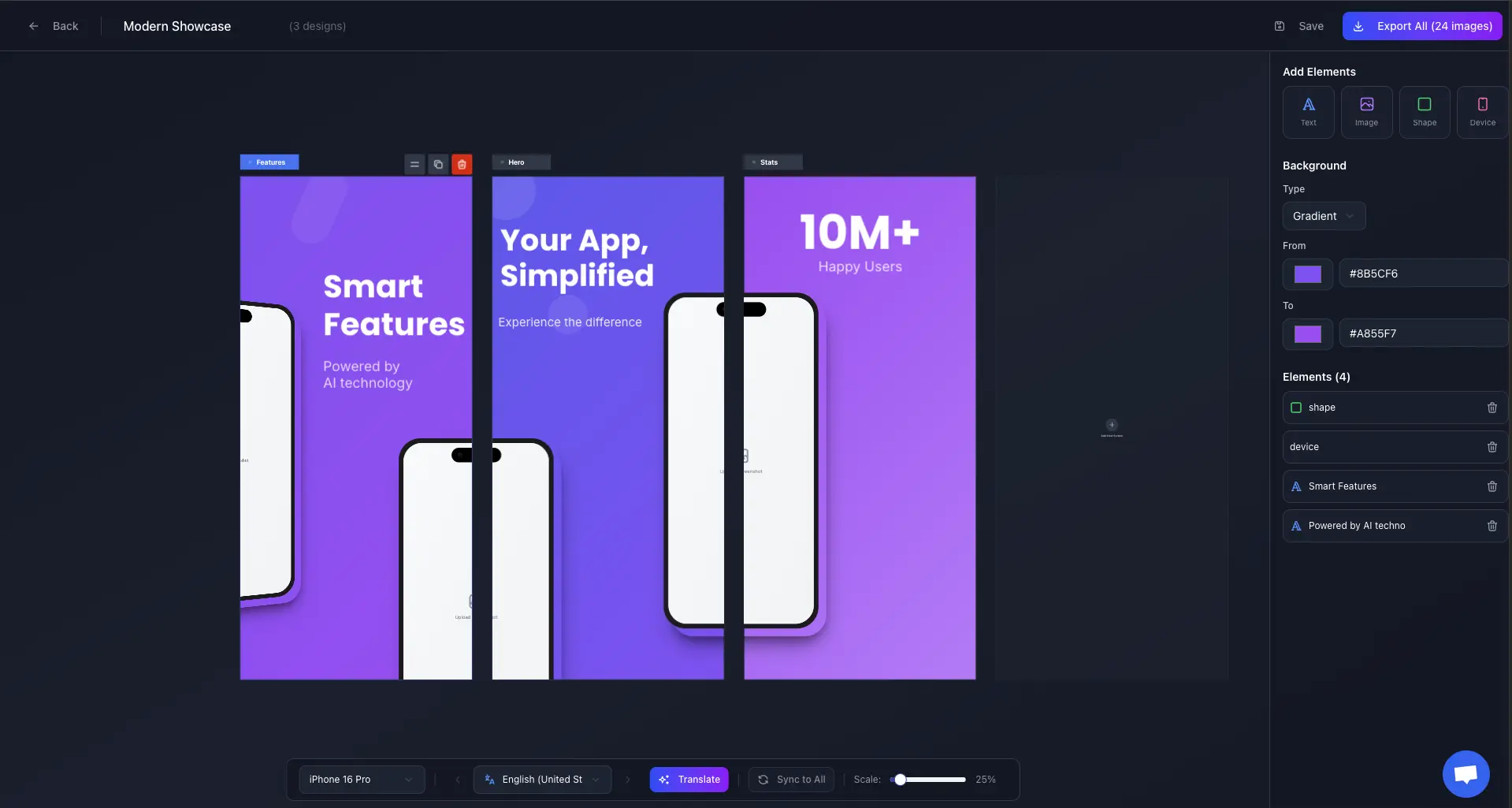
AppDrift Screenshot Generator - Free drag-and-drop editor for iOS and Android app store screenshots

Image Source: AppDrift

AppDrift offers a completely free screenshot generator that combines powerful features with an intuitive drag-and-drop interface. What sets it apart is the seamless integration with AI-powered translation for 40+ languages, making it a one-stop solution for global app launches.

AppDrift key features

The platform delivers professional screenshot creation with these standout capabilities:

  • True Drag-and-Drop Editor: Canvas-style editing where you can freely position text, images, shapes, and device mockups with real-time preview
  • No direct store upload integration (download and upload manually)
  • Multi-Artboard Workflow: Create multiple screenshot designs side-by-side on an infinite canvas, drag elements between artboards
  • Comprehensive Device Support: All iPhone sizes (6.9", 6.7", 6.5", 5.5"), iPad Pro 13" and 11", plus Android devices including Pixel and Galaxy
  • AI Translation Integration: Translate all text elements to 40+ languages with one click, with per-language design variants saved automatically
  • 3D Device Mockups: Rotate devices in 3D space with X, Y, Z axis controls for dynamic presentations
  • Pattern Backgrounds: 11 customizable patterns (dots, stripes, grid, waves, hexagons, etc.) plus gradients and solid colors
  • Batch Export: Export all designs for all device sizes at once as a organized ZIP file with iOS and Android folders
  • Project Management: Save and load screenshot projects, with full version history and undo/redo support

The editor also supports advanced text styling including custom fonts, letter spacing, line height, opacity, and rotation.

AppDrift pros and cons

Pros:

  • 100% free with unlimited exports and no watermarks
  • Intuitive drag-and-drop canvas (not layer-based)
  • Built-in AI translation for 40+ languages
  • Exports all device sizes automatically in organized folders
  • No account required to start creating
  • Supports both iOS and Android in a single project
  • Modern, responsive web-based editor

Cons:

  • Template library is growing (50+ templates currently)
  • Newer platform compared to established competitors

AppDrift pricing

AppDrift offers a generous free tier with optional paid features:

  • Free Tier: Full access to the drag-and-drop editor, all device frames, batch export, templates, and unlimited downloads - no watermarks
  • AI Translation: Translating text to multiple languages uses credits (pay-as-you-go pricing)
  • No subscription required: Pay only for translations when you need them

AppDrift best for

AppDrift is ideal for:

  • Indie developers and small teams who want professional results without subscription costs
  • Global app publishers needing screenshots in multiple languages
  • Developers who prefer visual, canvas-style editing over layer-based tools
  • Teams launching on both iOS and Android simultaneously
  • Anyone who values a modern, fast editing experience without the bloat

The combination of free unlimited exports, AI translation, and true drag-and-drop editing makes AppDrift a compelling choice for developers who want to create professional app store screenshots quickly and efficiently.

AppScreens

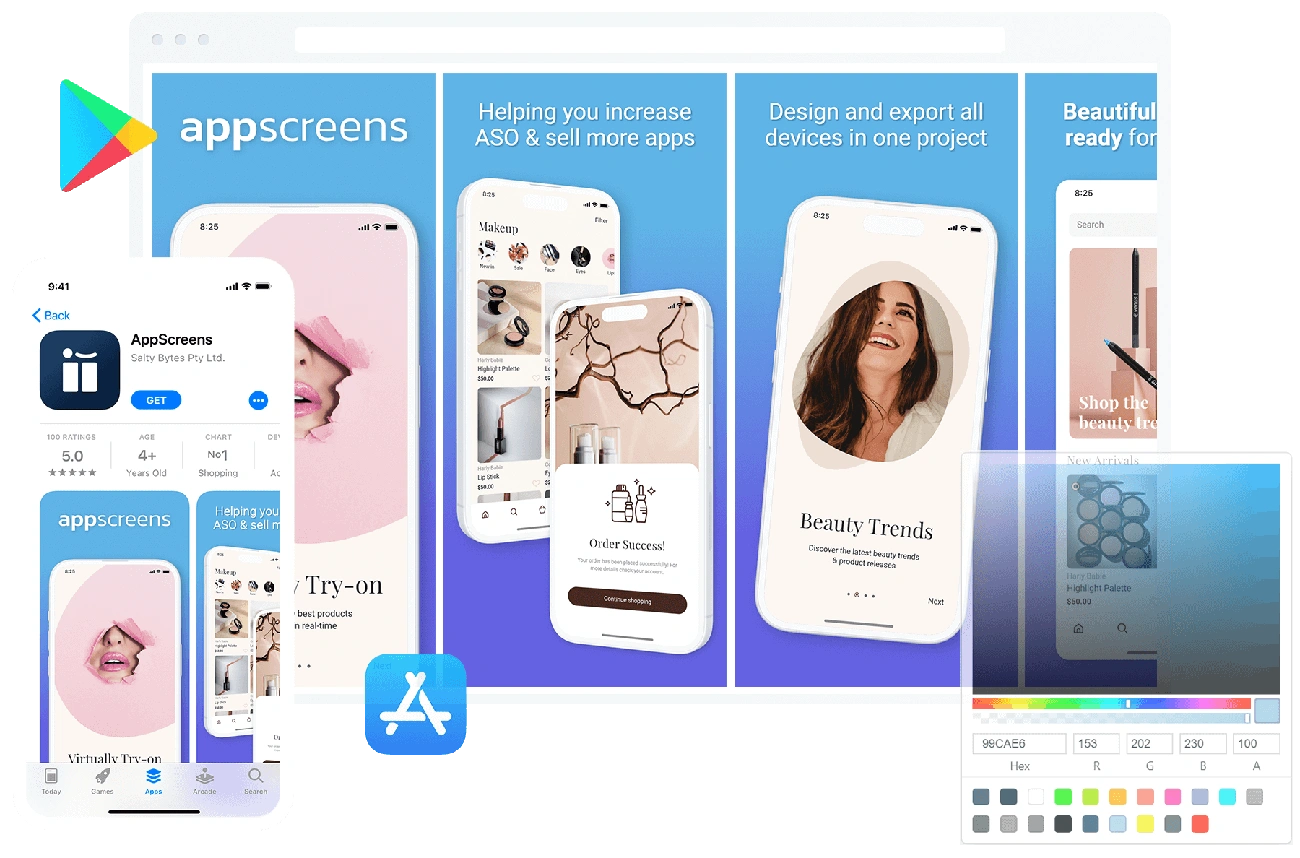
AppScreens - App Store Screenshot Creator

Image Source: AppScreens

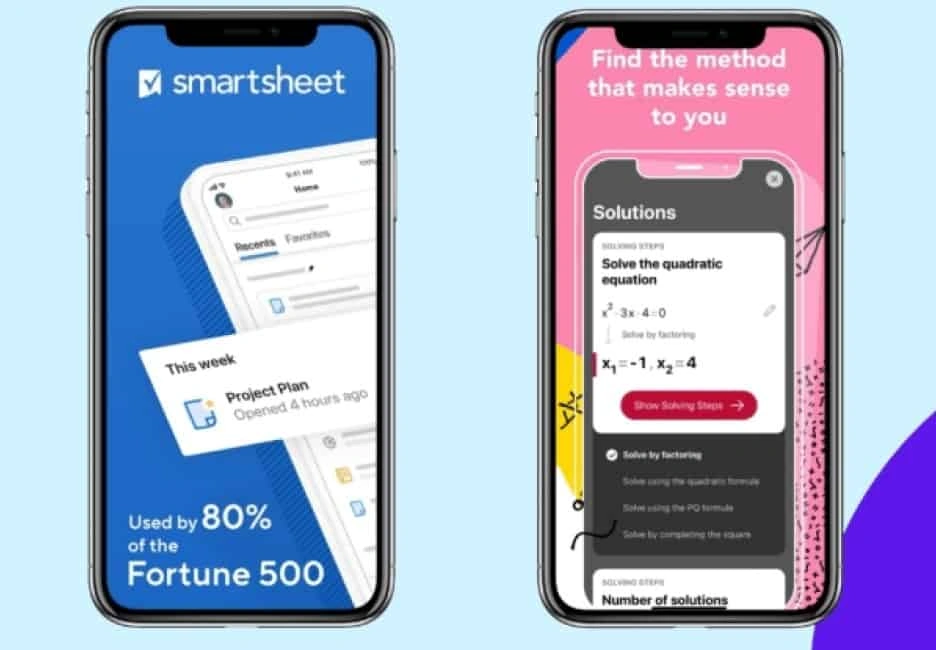
AppScreens helps app developers create professional screenshots quickly. More than 70,000 users worldwide trust this tool that automatically creates visuals for every device, platform, and language from a single responsive design [1].

AppScreens key features

The platform's features make screenshot creation simple and efficient:

  • Responsive Design Engine: One layout adapts automatically to all devices including iPhones, iPads, Android devices, and watches [2].
  • Direct Store Integration: Screenshots upload directly to App Store Connect and Google Play Console with one click [2].
  • AI-Powered Optimization: The built-in ASO AI creates optimized captions and translates them into 80 languages [2].
  • Extensive Template Library: Users can access over 100 professional templates inspired by successful apps [2].
  • Device Frames: The tool offers various styles including 3D, dynamic, frameless, real, and clay designs [2].

The platform also supports bulk import with smart size recognition. Users can create continuous gallery flows with panoramic backgrounds.

AppScreens pros and cons

Pros:

  • Creates screenshots for all sizes automatically to save time
  • Uploads to app stores with one click
  • Supports 80 languages for global reach
  • Free plan meets simple needs
  • A/B testing helps optimize conversions

Cons:

  • Uses layers instead of canvas-style editing with no drag-and-drop interface [3]
  • Graphics library is smaller than competitors [3]
  • AI caption generator works only with template text replacement [1]

AppScreens pricing

The tool comes with these pricing options:

  • Free Plan: Access to core features with some limits [4]
  • Professional Monthly: USD 25.00 per month [4][1]
  • Professional Yearly: USD 89.00 per year (USD 6.95 monthly with annual billing) [4][1]

AppScreens best for

Small teams and indie developers who prefer automation over custom design will find AppScreens useful [1]. The tool works best for developers who:

  • Need support for multiple platforms and devices
  • Want multi-language localization
  • Need quick screenshot creation (projects take 1-2 hours instead of days) [1]
  • Update screenshots often for app releases

App conversions can increase by up to 35% with optimized screenshots. This makes AppScreens a smart choice for developers who want more downloads [2].

Appure

Image Source: Facebook

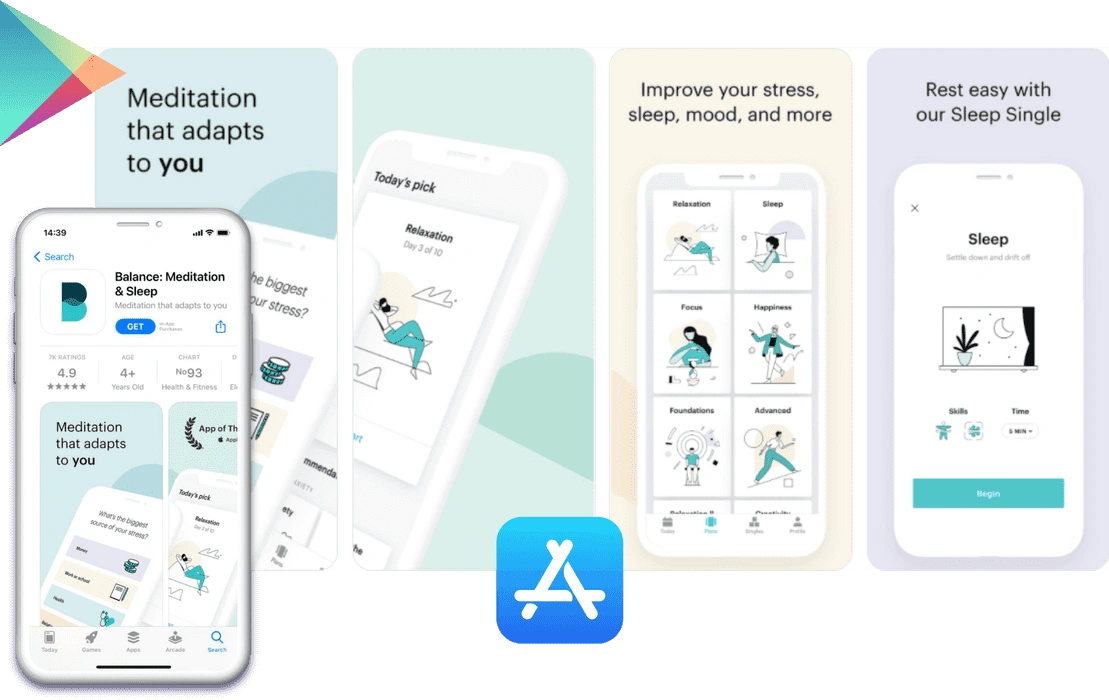
Appure is a powerful tool that helps developers optimize their app visuals for global markets through localized screenshots. This versatile screenshot creator supports 28 languages that both Apple App Store and Google Play Store recognize [5].

Appure key features

Appure has a rich set of tools designed to help with app localization and visual customization:

  • Detailed localization workflow for 28 languages supported by major app stores [5]
  • Advanced design options including customizable backgrounds, images, frames, shadows, positions, rotations, and fonts [5]
  • Random layout generation creates fresh designs with each click [5]
  • Multi-project management lets you work on up to 10 different apps simultaneously with paid plans [5]
  • Device frame library showcases your app in various ways [5]
  • Automatic text resizing maintains visual harmony in all languages [5]
  • Bulk export options make your workflow smoother [5]

The platform creates customized and annotated screenshots that meet both major app stores' specifications perfectly [6].

Appure pros and cons

Pros:

  • Workflow specifically designed for app localization
  • Rich customization options to create unique screenshot designs
  • Quick random layout generation for creative inspiration
  • Multiple project support
  • Extensive bulk export features

Cons:

  • No template library makes the original process time-consuming [5]
  • The interface needs time to learn all configurations [5]
  • Not as user-friendly as simpler competitors
  • Beginners might find it challenging when looking for quick solutions

Appure pricing

Appure provides flexible pricing plans:

  • Free plan: Basic features with 1 project support [5]
  • Pro plan: USD 19.00 monthly or USD 190.00 yearly [5]
  • Team plan: USD 49.00 monthly or USD 490.00 yearly [5]
  • Enterprise plan: Custom pricing for larger organizations [5]

Appure best for

Developers and marketing teams targeting global audiences will find Appure particularly useful. The tool shines when launching apps in multiple countries at once. Design teams that prefer customization over templates will appreciate the freedom to create unique screenshot designs from scratch.

Appure provides a specialized solution that works well if your app needs localization in many languages. Teams wanting complete creative control over their app store screenshots will find this tool particularly valuable.

Previewed

Previewed - App Store Screenshot Generator

Image Source: Previewed App

Previewed stands out as a versatile app store screenshot creator that generates studio-quality device mockups and 3D renderings. The clean interface and minimalist approach make it especially appealing to developers who want to handle their own design assets.

Previewed key features

The platform provides specialized capabilities to create polished app presentations:

  • Panoramic screenshot creation for iOS and Android devices with customizable layouts
  • Video preview maker that can boost installs by over 25% [7]
  • 3D view generator to capture device snapshots from any angle
  • Device frame options including clay variations and dynamic frames
  • Cloud-based template storage that automatically backs up all saved mockups
  • Team collaboration tools to share work with team members [7]

The drag-and-drop editor helps create visually striking mockups. Users can export their work in various formats including JPEG, PNG, and MP4 for videos.

Previewed pros and cons

Pros:

  • User-friendly drag-and-drop interface that needs minimal learning
  • High-quality 3D device renderings for professional-looking presentations
  • Video creation features that showcase app functionality
  • Clean, minimalist approach suited for users who design their own assets
  • Cloud backup system for all saved templates and mockups

Cons:

  • Device selection limited to about 30 options [3]
  • Template library has only 10 options, which is by a lot less than competitors [3]
  • No built-in graphics library for backgrounds or decorative elements
  • Basic font selection with standard options only [3]
  • Missing localization tools for international markets

Previewed pricing

The platform offers several pricing tiers:

  • Lite: USD 0.00 (free) with unlimited 2D exports at 720p resolution [7]
  • Plus: USD 9.99 one-time fee for 10 exports at 1080p+, including 3D and video exports [7]
  • Pro: USD 19.00/month (billed USD 228.00 yearly) with unlimited exports and priority support [7]

Previewed best for

My experience shows Previewed excels for solo developers and small teams who value visual quality over quantity of options. The tool serves perfectly for:

  • Developers creating minimalist, high-quality app store screenshots
  • Teams needing animation-based mockups for promotional materials
  • Users preferring static or clay device frames for their presentations [3]
  • Designers who appreciate straightforward tools without feature bloat

The platform delivers excellent results despite its limited templates. Your app's UI will shine with professional polish quickly.

AppLaunchpad

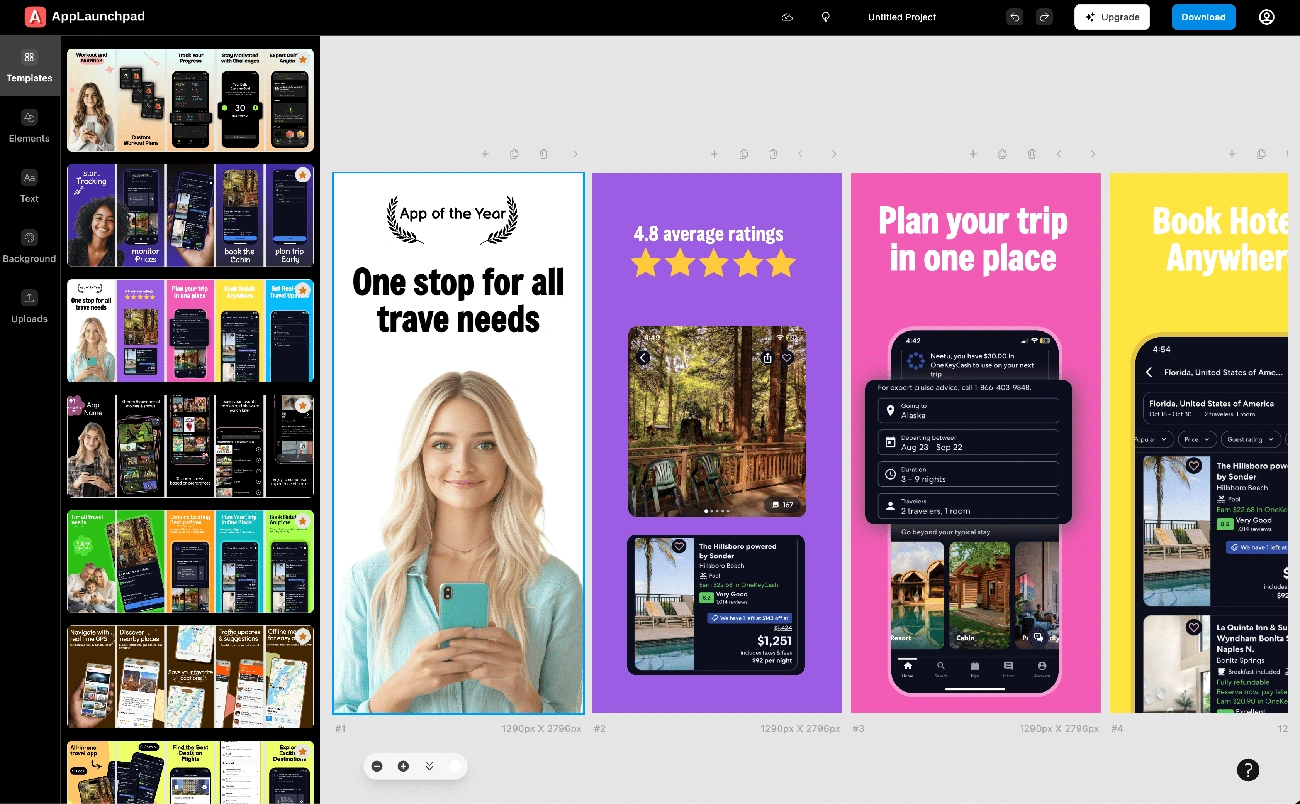
AppLaunchpad - App Store Screenshot Generator

Image Source: App Screenshot Generator

AppLaunchpad helps developers create professional app store visuals without needing design expertise. Over 1 million apps worldwide trust this platform [8]. The web-based design tool works like a specialized Canva for app mockups, eliminating the need for Figma or Photoshop skills [9].

AppLaunchpad key features

The platform provides a detailed set of tools that make screenshot creation effortless:

  • Extensive device support for over 150 devices including the latest iPhone 16, iPad Pro, and various Android models [4]
  • Rich template library with around 400 professionally designed templates from their in-house design team [4]
  • Massive asset collection featuring 4,000+ graphics, icons, and UI elements categorized by app type [4]
  • Background options including 1,000+ gradient backgrounds, 1,000+ solid colors, and Unsplash integration [4]
  • Drag-and-drop interface designed specifically for non-designers [4]
  • AI-powered localization for translating screenshots into multiple languages [10]
  • Automatic scaling for all required app store and play store sizes [2]

Users can also access an inspiration tool that showcases 3,000+ real app screenshots filtered by category and design style [4].

AppLaunchpad pros and cons

Pros:

  • Accessible interface that users can learn quickly [4]
  • Automatic scaling reduces design work by 10+ hours [2]
  • Support for Apple, Google Play, Chrome Web Store, and Amazon app stores [4]
  • Free tier provides substantial features for simple needs [10]
  • Customer satisfaction stands at 4.6/5 from 25 reviews [1]

Cons:

  • Vision Pro and TV platforms lack support [4]
  • iOS and Android versions need separate projects [11]
  • Panoramic background features are limited [11]
  • Simple plans support only 5 languages for localization [11]

AppLaunchpad pricing

The platform offers flexible pricing options:

  • Free plan: Access to simple templates, 4,000+ graphics, 500+ fonts, and 2,000+ backgrounds [4]
  • Pro plan: USD 29.00/month monthly or USD 15.00/month billed annually [12]
  • Users can save up to 25% with current discount codes [1]

AppLaunchpad best for

AppLaunchpad works best for:

  • First-time app publishers who need inspiration and user-friendly templates [12]
  • Marketing teams creating visuals without design skills [9]
  • Developers with tight deadlines needing quick screenshot generation [2]
  • Teams wanting consistent branding across multiple app screenshots [4]

Customer testimonials show the tool's value especially when dealing with screenshot compatibility issues or manual screenshot creation that previously took full days [13].

App Screenshot Maker by AppInstitute

App Screenshot Maker by AppInstitute

Image Source: ShyftUp

App Screenshot Maker by AppInstitute provides a budget-friendly way to create simple iOS and Android screenshots without design expertise. The app store screenshot creator delivers what developers need when they value cost savings over advanced features.

App Screenshot Maker features

The tool comes with everything you need to showcase your app:

  • Template selection: Access to 8 simple templates for different app categories
  • Device framing options: 4 different device frames to display your screenshots
  • Cloning capability: Your designs can be copied across multiple screenshots
  • Simple customization: You can change backgrounds, fonts, and colors
  • Localization support: Screenshots work for different languages and markets
  • Export flexibility: Your finished screenshots download in PNG or JPG formats
  • No account required: You can start creating screenshots right away

The platform makes it easy to highlight your app's features without needing extensive design knowledge.

App Screenshot Maker pros and cons

Pros:

  • No hidden costs in this free tool
  • The accessible interface makes learning quick
  • Screenshots get done faster than manual design
  • Research shows better screenshots can boost download rates by over 30% [14]
  • You can create professional results without design skills

Cons:

  • You get fewer layout and customization options than paid tools
  • iPad or iPhone X devices aren't supported [15]
  • Advanced design details aren't available
  • The template selection is limited to 8 simple options
  • Text animations and video creation aren't included

App Screenshot Maker pricing

App Screenshot Maker stands out from other tools because it's completely free without premium tiers or hidden fees. This makes it perfect for:

  • Bootstrapped startups
  • Individual developers
  • Small businesses watching their marketing budget

App Screenshot Maker best for

This tool works great for:

  • New app publishers who need quick, simple screenshots
  • Developers with tight budgets or limited design resources
  • Small businesses creating straightforward app promotions
  • Projects needing functional screenshots without complex designs
  • Teams working on multiple apps who benefit from cloning features

The tool might not have all the features of paid options, but it has helped more than 150,000 businesses create apps [11]. This success shows its value as a starter solution in the screenshot creator market. Developers who need to create promotional materials without spending money will find it useful.

Snapshot by Fastlane

Snapshot by Fastlane

Image Source: Pavel Tisunov

Snapshot by Fastlane offers a unique approach to creating app store screenshots through automation and code, unlike visual-focused screenshot creators. This command-line tool turns hours of manual screenshot work into an automated process. It handles hundreds of screenshots for multiple device types and languages at once.

Snapshot key features

Snapshot combines smoothly with the broader Fastlane ecosystem and provides powerful automation capabilities:

  • Concurrent screenshot capture across multiple device simulators that dramatically cuts execution time [16]
  • Automatic handling of 600+ screenshots (20 languages × 6 devices × 5 screenshots) with no manual work needed [5]
  • Intelligent network waiting that prevents loading indicators from appearing in your App Store screenshots [16]
  • HTML summary generation that gives a complete overview of all captured screenshots [16]
  • Integration with UI Testing framework that simulates user interactions [17]
  • Device frame application capability through the companion tool "frameit" [16]

Screenshots are stored in the ./screenshots/ folder by default (or ./fastlane/screenshots when using the complete Fastlane suite) [16].

Snapshot pros and cons

Pros:

  • Automates repetitive screenshot tasks and saves hours of work [5]
  • Delivers consistent visual quality for all devices and languages
  • Acts as an integration test to verify UI elements [5]
  • Makes error correction simple - just fix the issue and run the script again [5]
  • Helps translators verify quickly without needing actual devices [5]

Cons:

  • Setting up UI Tests needs programming knowledge [17]
  • Learning curve is higher than visual drag-and-drop tools
  • UI Tests might need retry mechanisms due to reliability issues [5]
  • Initial setup takes time before automation benefits kick in
  • iOS screenshots need Xcode and macOS environment

Snapshot pricing

Snapshot comes as a free open-source tool within the Fastlane ecosystem [5]. Every developer can use it whatever their budget.

Snapshot best for

Snapshot works great for development teams who:

  • Build apps that support multiple languages and device types
  • Know simple programming to write UI Tests
  • Prefer automation over visual design flexibility
  • Update screenshots often with app releases
  • Use other Fastlane tools in their workflow [18]

Technical teams love this tool especially when they have CI/CD workflows. It lets them make screenshot generation part of their automated release process [19].

PlaceIt

PlaceIt - App Store Screenshot Generator

Image Source: Placeit Blog

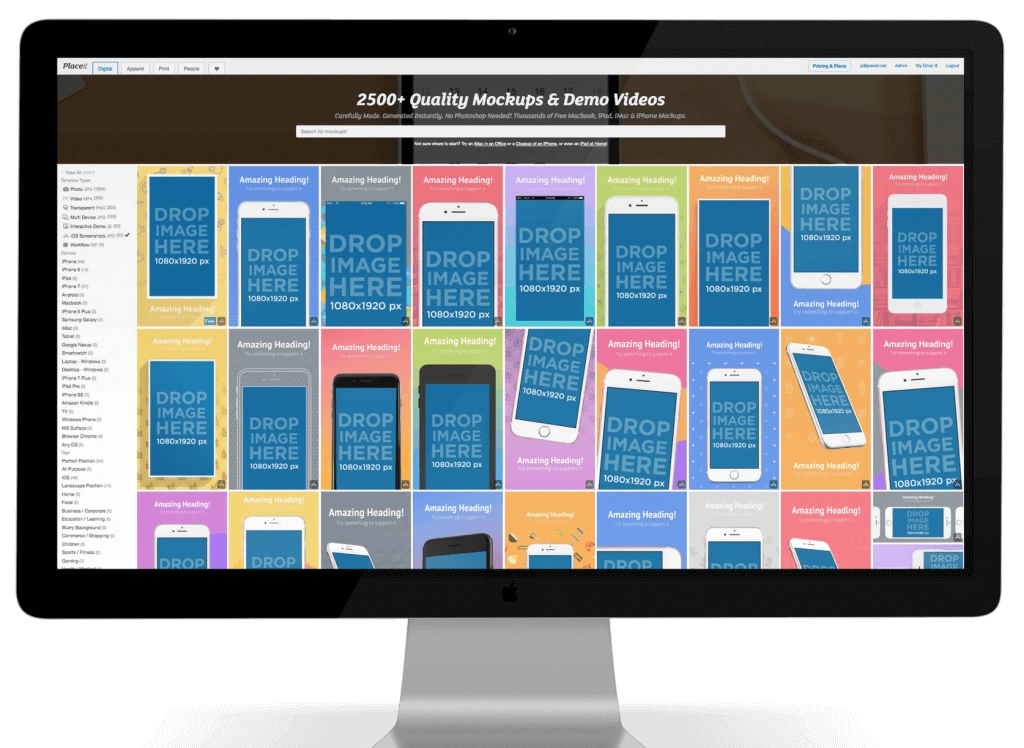
PlaceIt makes screenshot creation simple with its drag-and-drop feature. Anyone can create professional app visuals within seconds. This visual tool helps developers show their apps in real-life scenarios through contextual presentation.

PlaceIt key features

PlaceIt brings a simple yet powerful way to create app screenshots:

  • Simple upload process: Your app screenshots can be dragged and dropped onto device screens
  • Real-life context mockups: Your app appears in different scenarios to show how it works
  • Correct sizing support: Screenshots automatically fit recommended App Store dimensions for all devices
  • Multiple device frames: You can choose from different iPhone and iPad models in various positions
  • No design skills required: You can create professional mockups without technical knowledge

The platform helps users add context to their applications. Apps appear in realistic settings that showcase their features and appeal.

PlaceIt pros and cons

Pros:

  • User-friendly drag-and-drop interface that's quick to learn
  • You get professional results without design expertise
  • Large library of contextual mockups for different scenarios
  • Commercial license comes with all downloads
  • Creates screenshots faster than manual methods

Cons:

  • Templates might make your designs look similar to others
  • You get fewer customization options compared to advanced design tools
  • Premium users get access to some exclusive features
  • Your designs depend on available templates for context

PlaceIt pricing

PlaceIt keeps pricing simple:

  • Monthly subscription: USD 14.95 per month
  • Annual subscription: USD 89.69 per year (USD 7.47 monthly)
  • Free version: Limited access with watermarked outputs

Paid plans give you unlimited access to mockups, templates, videos, and logos. A commercial license is included.

PlaceIt best for

PlaceIt works great for:

  • Marketing teams who need to show apps in context
  • People without design skills who want professional screenshots
  • Developers looking to improve their app store visuals quickly
  • Businesses creating marketing materials across platforms
  • Teams who want to show apps in realistic environments

The tool's affordable price and simple interface make it a great choice when you need contextual presentation more than extensive customization for app store screenshots.

Apply Pixels

Apply Pixels - Design Resources

Image Source: Apply Pixels

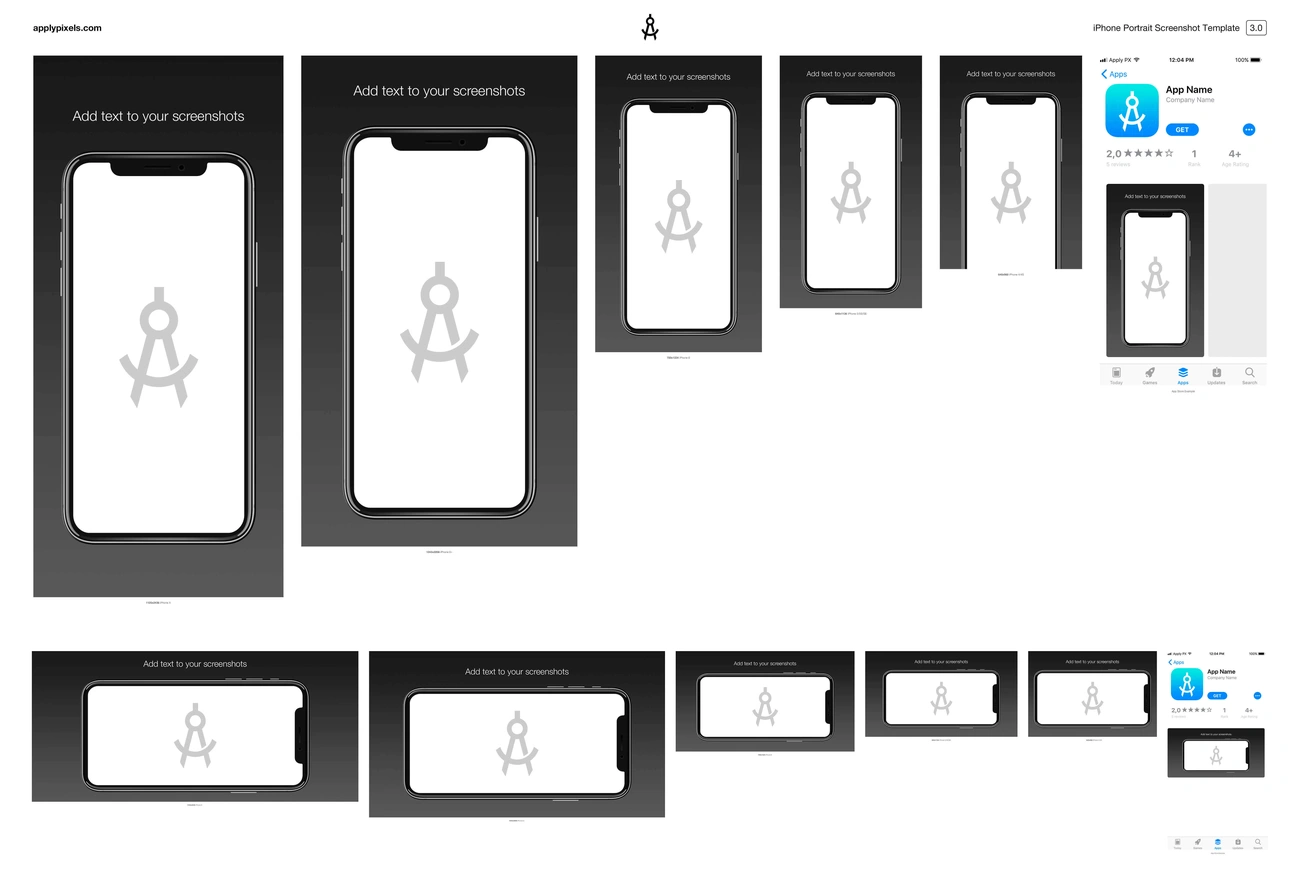
Apply Pixels stands out with its unique membership model that gives you high-quality design resources for app store visuals. This service works differently from one-time purchase tools by providing monthly credits to get professionally crafted templates.

Apply Pixels key features

The platform prioritizes quality over quantity in its resource offerings:

  • Credit-based system with 3 credits monthly that roll over if unused
  • Resource library with icon templates, UI kits, screenshot templates and presentation packs of all types
  • Continuous updates with resources developed extensively to meet what users need
  • Time-saving tools that help you overcome technical obstacles quickly
  • Permanent access to purchased resources and their future updates

Apply Pixels pros and cons

Pros:

  • Resources crafted with meticulous attention to detail
  • Unused credits roll over to next month
  • Resources you buy stay available forever
  • Templates stay current with platform changes through regular updates

Cons:

  • Heavy users might find the monthly credit limit restrictive
  • Resolution limits exist when scaling pixel-based graphics
  • Automation features lag behind other screenshot tools
  • Fewer templates for specific apps compared to dedicated screenshot tools

Apply Pixels pricing

You can choose from these pricing options:

  • Monthly membership: USD 20.00-50.00 per month with 3 credits
  • Annual membership: USD 240.00-600.00 per year
  • Lifetime pass: One-time purchase to get unlimited access to all current and future resources

Apply Pixels best for

This tool works great for designers who create various assets beyond screenshots. Teams that value quality over quantity will find it useful. The platform serves those who want to invest in reusable, professionally crafted templates.

DaVinci Apps

DaVinci Apps - Screenshot Creator

Image Source: www.davinciapps.com

DaVinci Apps is a straightforward app store screenshot creator that streamlines the design process with quick template selection at its heart. The tool emphasizes simplicity through a three-step workflow: select a template, customize it, and export your finished designs.

DaVinci Apps key features

  • Wide template selection for both iOS and Android platforms
  • Device frame library supporting all current devices
  • Color customization options for backgrounds and text
  • Quick editor for building screenshots with minimal effort
  • Export functionality for app store-ready dimensions

DaVinci Apps pros and cons

Pros:

  • Fast template-based workflow
  • Support for both major platforms
  • Simple editing process ideal for beginners

Cons:

  • Limited customization options compared to competitors [15]
  • Restricted to only three projects in paid plan [6]
  • Few advanced editing capabilities for text styling [11]

DaVinci Apps pricing

DaVinci Apps provides two straightforward pricing tiers:

  • Free Plan: Has one saved project and watermarked device frames [20]
  • Pro Plan: USD 99.00 per year with up to three projects, custom backgrounds, and no watermarks [6]

DaVinci Apps best for

DaVinci Apps serves developers who need rapid screenshot creation without complex design requirements. Small teams with limited projects will find this tool particularly valuable when speed matters more than extensive customization options.

StoreShots

StoreShots - App Store Screenshot Tool

Image Source: YouTube

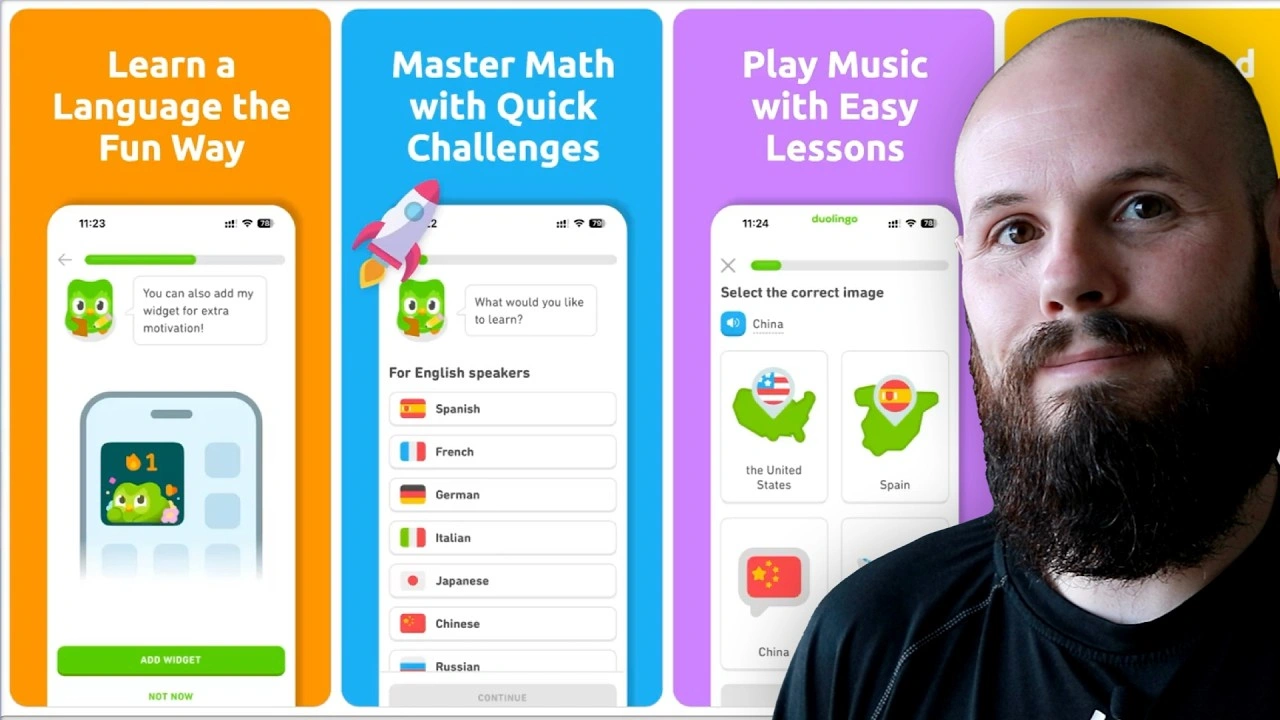
A developer created StoreShots to solve his own screenshot challenges. This credit-based app store screenshot creator focuses on device framing and custom branding. The tool became popular after fellow developers gave positive feedback [21].

StoreShots key features

StoreShots takes a simple approach to screenshot creation:

  • User-friendly interface with clean navigation that makes core features easy to access
  • Screenshot automation that cuts down manual capture and organization time
  • Multi-platform support to manage screenshots for different online stores
  • Regular updates to access latest tech improvements
  • Device framing options for smartphones and tablets of all types
  • Bulk-upload capability with automated export integrations
  • Color picker to customize backgrounds and text
  • Automatic font adjustment for longer text passages

StoreShots pros and cons

Pros:

  • Clean interface you can learn quickly
  • Automated screenshot processing saves time
  • Works with many e-commerce platforms
  • New features added through regular updates
  • Custom branding options make marketing materials stand out

Cons:

  • Free tier comes with limited features [22]
  • No template library to choose from [15]
  • Advanced features can be hard to use [22]
  • Credit-based system can get pricey for big projects
  • Data storage raises some privacy concerns [22]

StoreShots pricing

StoreShots uses a credit-based pricing system:

  • Credits range from $0.05-$0.12 based on package size [15]
  • Each template needs one credit to create a screenshot [15]
  • Pricing follows a "pay for what you use" model instead of monthly subscriptions [21]

StoreShots best for

iOS developers who need a focused tool for device framing without monthly payments will find StoreShots useful. The tool works best for developers who make screenshots occasionally and prefer to pay per use rather than keep up with subscriptions.

Comparison Table

Tool Name Key Features Starting Price Main Pros Main Cons Best For
AppDrift - True drag-and-drop editor
- Multi-artboard canvas
- AI translation (40+ languages)
- 3D device mockups
- Batch export all sizes
Free, translations pay-as-you-go - Free editor with unlimited exports
- Canvas-style editing
- Built-in AI translation
- All device sizes included
- Growing template library
- No direct store upload
- Newer platform
Indie developers and global app publishers
AppScreens - Responsive Design Engine
- Direct Store Integration
- AI-Powered Optimization
- 100+ Templates
Free plan, $25/month Pro - Automatic multi-size generation
- One-click store uploads
- 80 languages support
- No drag-and-drop interface
- Limited graphics library
Indie developers and small teams needing automation
Appure - 28 languages support
- Advanced design options
- Random layout generation
- Multi-project management
Free plan, $19/month Pro - Specialized localization workflow
- Extensive customization
- Multiple project support
- No template library
- Complex interface
- Steep learning curve
Teams targeting global audiences
Previewed - Panoramic screenshot creation
- Video preview maker
- 3D view generator
- Cloud backup
Free plan, $19/month Pro - User-friendly drag-and-drop
- High-quality 3D renderings
- Video creation capability
- Limited device selection (30)
- Only 10 templates
- Limited font options
Solo developers prioritizing visual quality
AppLaunchpad - 150+ device support
- 400+ templates
- 4,000+ graphics
- AI localization
Free plan, $29/month Pro - User-friendly interface
- Automatic scaling
- Extensive asset library
- No Vision Pro support
- Separate iOS/Android projects
- Limited panoramic options
First-time publishers and marketing teams
App Screenshot Maker - 8 simple templates
- 4 device frames
- Simple customization
- No registration required
Free - Completely free
- Quick learning curve
- Fast creation process
- Limited layout options
- No iPad/iPhone X support
- Simple features only
Bootstrapped startups and individual developers
Snapshot by Fastlane - Concurrent screenshot capture
- Automatic handling
- HTML summary generation
- UI Testing integration
Free (Open Source) - Automated workflow
- Consistent quality
- CI/CD integration
- Requires programming knowledge
- Steep learning curve
- macOS requirement
Development teams with technical expertise
PlaceIt - Drag-and-drop interface
- Ground context mockups
- Automatic sizing
- Multiple device frames
$14.95/month - User-friendly interface
- Professional results
- Extensive mockup library
- Template-based limitations
- Limited customization
- Premium features restricted
Marketing teams needing contextual presentations
Apply Pixels - Credit-based system
- Resource library variety
- Continuous updates
- Permanent access
$20-50/month - High-quality resources
- Rolling credits
- Permanent access
- Limited monthly credits
- Resolution limitations
- Less automation
Designers needing diverse visual resources
DaVinci Apps - Template selection
- Device frame library
- Color customization
- Quick editor
Free plan, $99/year Pro - Fast workflow
- Multi-platform support
- Simple editing
- Limited customization
- Three project limit
- Simple text styling
Small teams needing rapid creation
StoreShots - User-friendly interface
- Screenshot automation
- Multi-platform support
- Bulk upload
$0.05-0.12 per credit - Clean interface
- Automated processing
- Custom branding
- Limited free tier
- No template library
- Complex advanced features
iOS developers needing occasional screenshots

Conclusion

The right app store screenshot creator can affect your app's download rates and overall success by a lot. This review highlights tools that fit different needs, budgets, and technical capabilities. AppDrift leads with its free drag-and-drop editor and AI translation, while AppScreens shines in automation. Appure masters localization, Previewed creates stunning 3D renderings, and AppLaunchpad comes with an extensive template library. App Screenshot Maker and Snapshot by Fastlane offer simple functionality at no cost.

Your needs will end up guiding your choice. Teams looking at global markets can benefit from AppDrift's built-in AI translation or Appure's reliable localization features. Developers who need automation would find AppScreens or Snapshot more fitting. Previewed or PlaceIt might work better for those who put visual quality first.

Research shows that better screenshots can boost conversions by up to 35% - a big edge in today's competitive app marketplace. These tools save around 10+ hours per project, letting you focus on what matters most - your app's development and improvement.

Look at your budget limits, technical skills, and project needs before you decide. Most of these tools give you a chance to try their interfaces through free trials or basic plans.

A great app store screenshot creator brings together speed, quality, and budget-friendly solutions for your specific case. Any tool you pick from this list will without doubt help you create more professional, conversion-focused screenshots compared to manual methods.

Key Takeaways

Professional app store screenshots can boost your download rates by up to 35%, making the right screenshot creator tool essential for app success.

Free tools can be powerful: AppDrift offers a free screenshot editor with drag-and-drop editing and batch export for all device sizes. AI translation for 40+ languages is available on a pay-as-you-go basis - no subscription required.

Automation saves significant time: Tools like AppScreens and Snapshot can reduce screenshot creation from days to hours through automated multi-device generation and direct store uploads.

Choose based on your specific needs: Global apps benefit from AppDrift's AI translation or Appure's 28-language localization, while visual-focused developers should consider Previewed's 3D rendering capabilities.

Template libraries accelerate creation: AppLaunchpad's 400+ templates and extensive asset collection eliminate design barriers for non-technical users seeking professional results.

Quality screenshots directly impact conversions: Since only 2% of users read app descriptions, your screenshots serve as the primary decision-making factor for potential downloads.

The right screenshot creator transforms hours of manual design work into streamlined processes, allowing developers to focus on app development while maintaining professional marketing materials that convert browsers into users.

FAQs

Q1. How can app store screenshots impact my app's success? Professional app store screenshots can increase your app's download rates by up to 35%. They serve as the primary decision-making factor for potential users, as only 2% of people read app descriptions.

Q2. What are some key features to look for in an app store screenshot creator? Important features include multi-device support, template libraries, localization capabilities, automated scaling, and integration with app stores. The best tool for you will depend on your specific needs and technical expertise.

Q3. Are there free options available for creating app store screenshots? Yes, there are excellent free options available. AppDrift offers a free screenshot generator with drag-and-drop editing, all device frames, and batch export - only AI translations require credits. App Screenshot Maker by AppInstitute and Snapshot by Fastlane also offer functional solutions for developers on a tight budget.

Q4. How much time can I save by using an app store screenshot creator? Many app store screenshot creators can save you 10+ hours per project. Tools with automation features, like AppScreens or Snapshot, can reduce screenshot creation time from days to just a few hours.

Q5. Which app store screenshot creator is best for targeting global markets? For apps targeting global markets, AppDrift is an excellent choice with its built-in AI translation supporting 40+ languages and automatic per-language design variants. Appure also stands out with its support for 28 languages and robust localization workflow. Both tools allow you to create and manage screenshots for multiple languages efficiently.

References

[1] - https://applaunchpad.tenereteam.com/
[2] - https://theapplaunchpad.com/
[3] - https://theapplaunchpad.com/blog/applaunchpad-vs-previewed
[4] - https://theapplaunchpad.com/blog/appLaunchpad-vs-appscreens
[5] - https://docs.fastlane.tools/actions/snapshot/
[6] - https://www.blog.udonis.co/mobile-marketing/mobile-games/app-store-screenshot-generators
[7] - https://previewed.app/app-store-screenshot-generator/
[8] - https://www.softwaresuggest.com/applaunchpad
[9] - https://sergeichyrkov.com/blog/app-launchpad
[10] - https://theapplaunchpad.com/pricing
[11] - https://appradar.com/blog/best-app-screenshot-tools-how-to-create-app-screenshots
[12] - https://neoads.tech/blog/best-appstore-screenshots-generator/
[13] - https://theapplaunchpad.com/app-screenshot-inspiration
[14] - https://screenshot-maker.appinstitute.com/
[15] - https://www.shyftup.com/blog/a-guide-to-the-best-app-screenshot-generator-tools-for-2022/
[16] - https://docs.fastlane.tools/getting-started/ios/screenshots/
[17] - https://lickability.com/blog/automating-app-store-screenshots-with-fastlane-and-swiftui/
[18] - https://fastlane.tools/
[19] - https://codewithandrea.com/tips/uploading-screenshots-fastlane/
[20] - https://www.davinciapps.com/pricing
[21] - https://www.storeshots.net/
[22] - https://www.saashub.com/compare-storeshots-vs-scrshots-com

Related Articles

10 Best App Store Screenshot Creators That Save Hours in 2025 | AppDrift