A localized listing should sound natural and match the app people will install. That takes more than translating the description. You also need relevant search terms, readable screenshots and the right store settings.
Use these 28 checks for one target language at a time. They cover preparation, writing, visuals, submission and the first review after launch.
Phase 1: Choose and prepare your markets
1. Choose markets you can support
Start with evidence of interest: current users, relevant visits, support requests or a clear local need. Choose only as many markets as you can review and maintain. A large national app market does not guarantee demand for your category.
2. Check competitors in each market
Open comparable apps in the target storefront and read their local wording. Check their actual listing and screenshots; an app-language field alone does not establish which listings are translated. Use the findings to ask better questions about your own app.
3. Choose the primary language
Apple uses the primary language as part of its fallback behavior. Choose it deliberately, then inspect how the listing appears with the language and country settings your audience uses.
4. Budget for review and maintenance
Include translation, fluent review, screenshots and future updates. Assign an owner for each published language. A cheap first draft can still require substantial editing before it is ready.
5. Plan dates and time zones
Allow time for store review, corrections and local reviewers' availability. Check dates and time zones for any event or promotion. Local holidays may affect your audience and team; they do not establish a predictable store-review delay.
Phase 2: Research local keywords
6. Research natural local phrases
Treat the English keyword list as a list of concepts to investigate. A fluent reviewer can suggest natural phrasing, including borrowed English terms where appropriate. Metadata translation prepares drafts; local keyword research remains a separate step.
7. Collect local search ideas
Read relevant listings, reviews and store suggestions. Record each candidate's country, source and date. Keep estimated popularity separate from an actual count of searches.
8. Review the Apple keyword field
Choose relevant terms for each localization and remove unnecessary duplicates. Apple's search guidance says 100 characters, while its Connect reference says 100 bytes. Check both counts for non-ASCII text, then validate the final string in App Store Connect. There is no need to fill all the space.
9. Check the final text length
Translations do not expand or contract by a fixed percentage. Rewrite long phrases without losing meaning, and leave concise phrases alone when they already work. Check both field validation and how the text appears in previews.
Phase 3: Review the listing text
10. Write a clear title within 30 characters
Keep the app recognizable and add a relevant description when it fits. Read the complete localized title aloud with a fluent reviewer. Avoid padding it with extra keywords.
11. Use the Apple subtitle for a useful detail
The subtitle allows 30 characters. Explain a complementary benefit or task rather than repeating the title. It should read like product copy, not a second list of keywords.
12. Write the Google Play short description
Explain the main task within 80 characters. Use natural wording and check the preview. There is no need to place a prescribed number of keywords in the opening.
13. Keep full descriptions readable
Both stores allow 4,000 characters. Explain the main features, requirements and paid access clearly. Use relevant language naturally on Google Play; keyword stuffing makes a translation harder to read.
14. Review Apple promotional text
Use this field for a current, accurate message, within 170 characters. Apple allows it to change without an updated app submission. It does not affect App Store search ranking.
15. Translate relevant release notes
Describe what changed in the current version and review the translation before sending. Batch updates can help prepare repeated work across locales; check the selected app, languages and final text.
Phase 4: Check the visuals
16. Localize screenshot captions
Keep each caption readable and tied to the feature shown. Use the screenshot editor to place translated captions around real app captures. Inspect the exported image at phone size.
17. Show the actual localized interface
Capture the app in the target language when that experience exists. If the app still runs in English, make that clear. Translated captions must not imply that an unsupported interface language is available.
18. Review imagery in context
Ask people familiar with the intended audience to review imagery, gestures and examples. Avoid broad rules about what an entire country likes. Check that the pictures suit the app and do not introduce an unintended meaning.
19. Check localized preview videos
Review captions, narration and the visible app interface together. Keep the story understandable without sound. Check the current video specifications before exporting each version.
Phase 5: Configure the stores
20. Add each listing localization
Create the intended localization in the store console and fill its fields. After approval, open the public listing with the relevant settings to check that the expected text appears rather than a fallback language.
21. Confirm pricing and country availability
Check that the app is available in the target country and that prices and offers match your intended setup. Country availability and listing language are separate settings. Review subscriptions and in-app purchases separately where applicable.
22. Review in-app purchase names
Translate the display names and descriptions of purchases offered to that audience. Keep the wording consistent with the app and explain what each purchase provides. A translated listing should not lead to confusing purchase labels.
23. Choose the appropriate release controls
Use the native console's controls for the app update. Google staged rollout and Apple phased release concern binary releases, not experiments on individual listing languages. Sending supported listing text is a separate operation.
Phase 6: Review the launch
24. Track keywords in the correct country
Record the app, query, store and country for each check. A position in the US does not describe the same query in Brazil. Keep failed requests and missing ranks separate from numeric positions.
25. Read rating changes with context
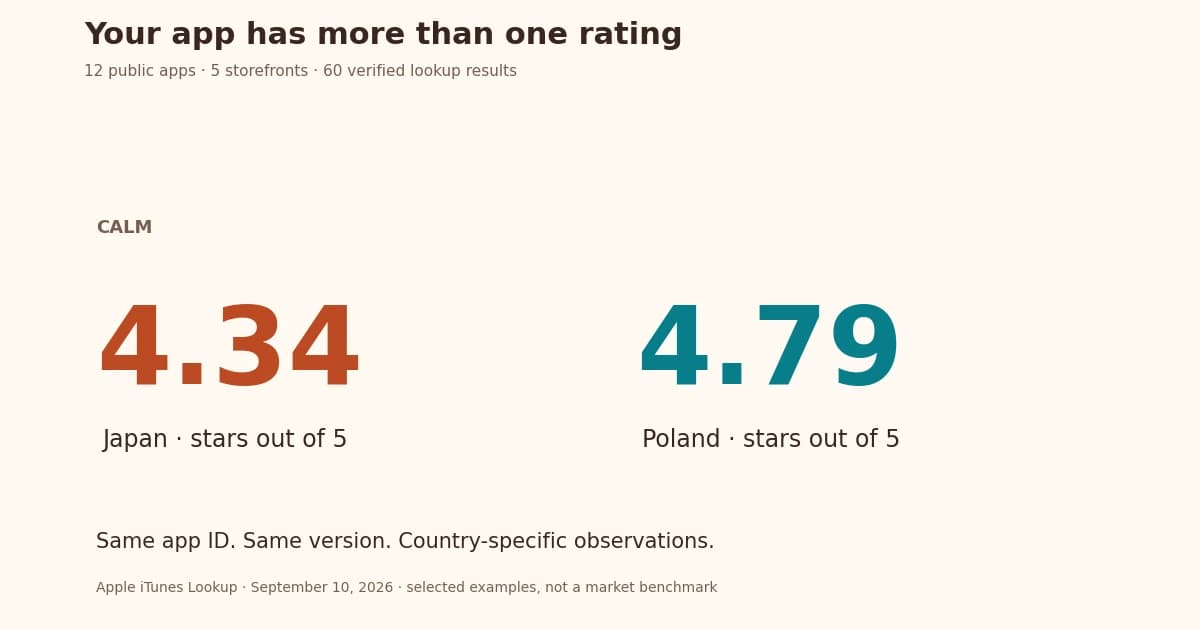
A rating change is a reason to inspect recent reviews, releases, outages and traffic. It does not identify translation as the cause. Store monitoring can help you follow selected changes.
26. Investigate new review complaints
Look for specific issues that recur in a language or market. Check whether users describe a translation problem, unavailable service or product defect before choosing a fix. Keep the affected version and country in the record.
27. Test screenshots where practical
Use the native store experiments for supported fields and assets. Apple Product Page Optimization tests icons, screenshots and previews; Custom Product Pages serve a different purpose. Plan around the available traffic and allow for an inconclusive result.
28. Keep localized listings current
Review translations when features, requirements or source copy change. A periodic check can catch stale wording. Accurate copy does not need a rewrite merely because another quarter has passed.
The 28-step checklist
Copy this list into your release notes and add an owner or review status beside each item.
- Choose markets you can support
- Check competitors in each market
- Choose the primary language
- Budget for review and maintenance
- Plan dates and time zones
- Research natural local phrases
- Collect local search ideas
- Review the Apple keyword field
- Check the final text length
- Write a clear title within 30 characters
- Use the Apple subtitle for a useful detail
- Write the Google Play short description
- Keep full descriptions readable
- Review Apple promotional text
- Translate relevant release notes
- Localize screenshot captions
- Show the actual localized interface
- Review imagery in context
- Check localized preview videos
- Add each listing localization
- Confirm pricing and country availability
- Review in-app purchase names
- Choose the appropriate release controls
- Track keywords in the correct country
- Read rating changes with context
- Investigate new review complaints
- Test screenshots where practical
- Keep localized listings current
What to automate
Automate repeated copying and export work after the first language is correct. Keep language review and final approval assigned to a person. The number of apps alone does not determine when automation is worthwhile.
Listing updates keeps source text, translations and review decisions together. Preparing an update is free, and translation shows its token quote before confirmation. With paid access, approved wording can reuse exact reviewed matches for the same app and context without another AI charge.
Review each export and choose when to send supported fields to a connected store. Sending requires paid access and follows the store's review and availability process. Configure monitoring rules for changes you want to follow; alerts depend on the data collected and your settings.
References for the final check
Use Apple's search guidance, field reference and localization instructions. For Google Play wording, check its listing guidance. Validate the actual submitted text rather than relying on a generic character counter.