Find competitor keyword candidates by reading their public metadata and checking their position for specific queries in a chosen storefront. Combine those observations with relevance to your app and independent demand evidence. A competitor's rank does not reveal its hidden iOS keyword field, prove downloads or guarantee that you can rank for the same term.
This guide covers the competitor-research stage of the full keyword research process. The output is a short list of terms to investigate, with a note on where each came from.

What competitor research can and cannot tell you
| Observation | Useful inference | Not established |
|---|---|---|
| A phrase in the public title or subtitle | The publisher uses that wording to describe the app | Its search volume or conversion rate |
| An app appears for a query | It was returned in that store/country/sample | Its full targeting strategy or hidden keywords |
| Several relevant apps appear | The query may match a category of tasks | Guaranteed demand, easy competition or profitable installs |
| Your app is absent from the returned results | It was not observed within that result depth | It is delisted or never ranks anywhere |
1. Choose comparable competitors
Start with a few apps solving the same primary problem for a similar audience. Add an established category leader and an adjacent product when they teach you something different. The right set depends on the task; there is no universal rule that competitors must be two to five times your size.
Record platform, app ID, country, language, date and why each app belongs in the set. Separate competing products from brands people may search only to download that specific brand. Their names are useful research context, not permission to place their trademarks in your metadata.

2. Read public metadata for candidate language
- Title: identify the task, category and audience words around the brand.
- Subtitle on iOS or short description on Android: look for the secondary promise or differentiator.
- Description: collect useful customer vocabulary and supported features. Do not assume every phrase is indexed in the same way across stores.
- Reviews: note recurring descriptions of the job users wanted done. Treat them as qualitative language, not measured keyword demand.
Apple lists title, subtitle, keywords and primary category among its search relevance inputs. The iOS keyword field is private and limited to 100 bytes; public search results do not allow you to reconstruct it exactly. Apple search guidance · Keyword field reference
3. Check chosen queries in a consistent market
Use a manual store search for a quick look, or the rank checker for an app/query/country observation. Note the check time and available depth. Repeat the same query for your app and selected competitors. A rank checker answers whether a specified app appears for a specified query; it is not an exhaustive reverse-keyword database. To run that check for a batch of likely phrases at once, the competitor keyword finder collects candidates from a competitor's listing, similar apps' titles and store autocomplete, then searches each one live; the result is still a tested sample.
Different tools can sample different sources, return cached observations or use different result depths. AppDrift's current public Android collector often returns roughly 30 results; that is a collection boundary, not a universal limit on what every provider can observe. Read how rank checks work before comparing providers.
4. Build a manual gap worksheet
| Field | What to record |
|---|---|
| Query and market | Exact phrase, platform, country and language |
| Relevance | The real feature that satisfies the intent |
| Competitor evidence | Observed app positions, timestamp and result depth |
| Your baseline | Observed rank or absent within returned depth |
| Demand evidence | Named paid-search metric, third-party proxy or unknown |
| Next action | Investigate, test in metadata, monitor or discard |
A gap is a query where relevant competitors are visible and your app is not observed, or is less visible. Some gaps should stay open: a feature you do not offer or a brand-specific query is not an acquisition opportunity merely because another app ranks.
5. Choose which terms deserve a test
First remove irrelevant terms. Then compare the remaining candidates on audience fit, observed competition, available demand evidence and the cost of changing the listing. Keep the brand terms existing users rely on while you test other wording.
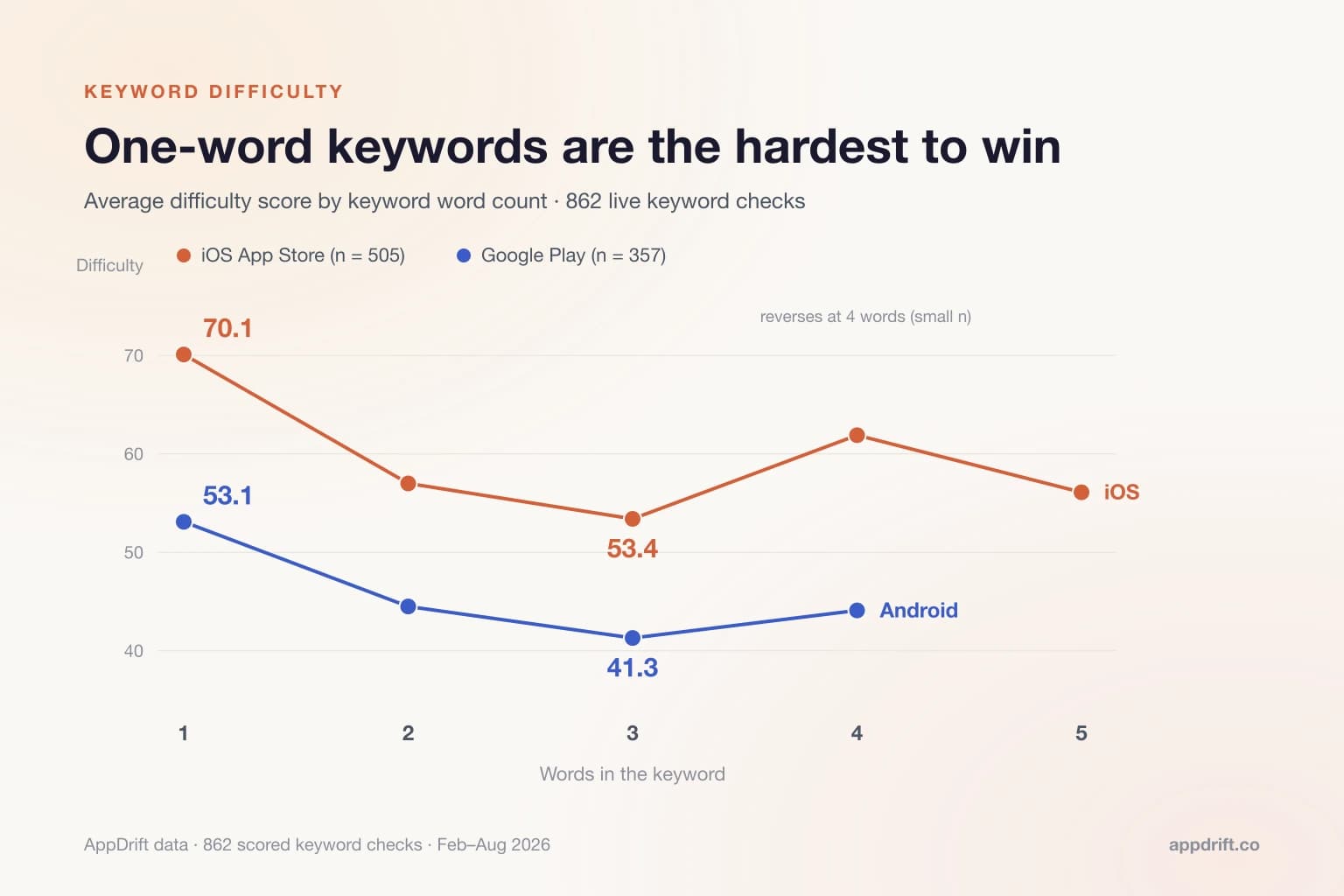
A difficulty score can help you choose what to investigate first, but a score above 80 does not mean zero traffic and a low score does not guarantee a ranking. Review/install inputs in third-party scores describe the observed apps; they are not a count of query searches. Compare the inputs behind scores before combining them.
Apple Ads search popularity or campaign reports can add a paid-search perspective. They do not disclose competitors' organic installs, and paid performance may differ from organic discovery. Keep that distinction in your worksheet.
6. Test a small metadata change
Map a few relevant phrases to the appropriate fields, review them for accuracy and platform limits, and record the approved release date. AppDrift's metadata generation can draft copy from your chosen terms; you remain responsible for choosing and reviewing them.
Watch rank trends alongside territory-level source traffic and conversion. A before/after rank change is observational: seasonality, competing apps, ads and product releases can move the result. Use native store experiments for eligible creative conversion tests. Repeat competitor research when an important app changes its positioning or your product adds a meaningful use case.
Frequently Asked Questions
Can I see a competitor's exact iOS keyword field?
No. Public metadata and sampled rankings provide clues about relevance, but they do not reveal the private 100-byte field or prove which term caused a download.
How many competitors should I analyze?
Use enough relevant apps to see different approaches while keeping the worksheet maintainable. A small, well-chosen set is more useful than a large list of unrelated category leaders.
Does a competitor ranking first prove search demand?
No. Rank is position within an observed result set. Demand requires separate evidence, and organic conversion data for that competitor is not public.
Does AppDrift automatically build this entire keyword-gap table?
The worksheet in this guide is manual. AppDrift can check ranks for chosen queries and help with research and monitoring; you collect the observations and decide which gaps are relevant.