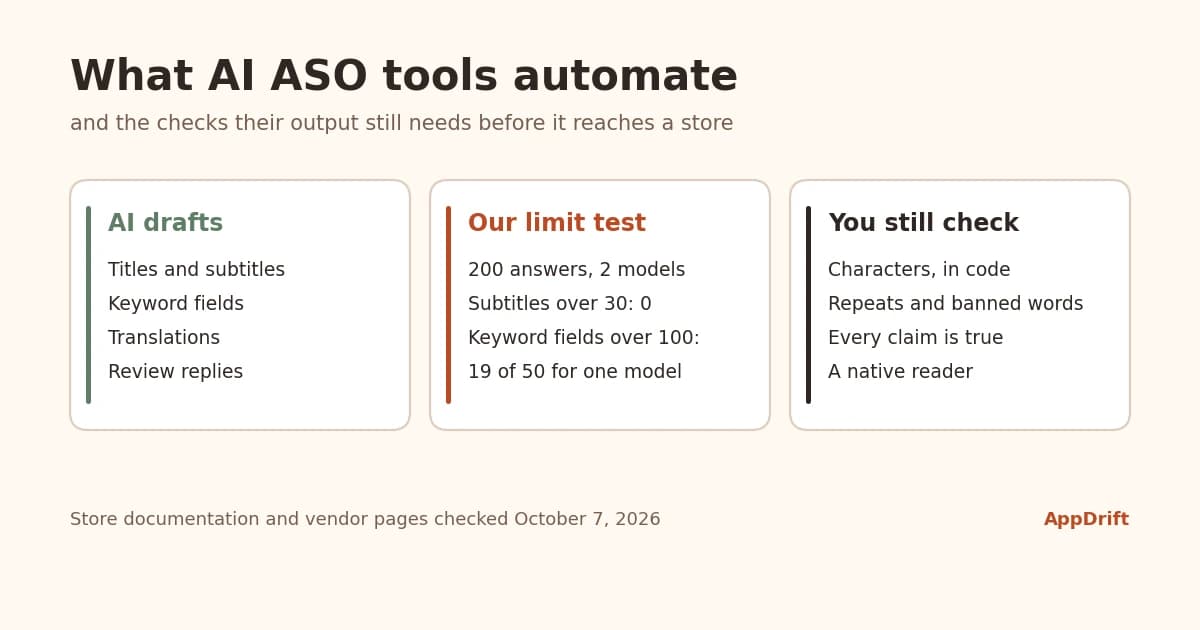
AI ASO tools use language models for four jobs in app store optimization: drafting and translating listing text, suggesting keywords, summarizing and answering reviews, and letting AI assistants read your store data through an API or MCP server. They save drafting time. They don't know real search volume, can't promise rankings and still write text that breaks store character limits: in our October 2026 test, one current model wrote App Store keyword fields over the 100-character limit in 19 of 50 English answers. Meanwhile the App Store and Google Play run AI of their own on your listing, which makes accurate, plain listing text matter more than it used to.
Checked October 7, 2026 against Apple and Google documentation and each vendor's own product or pricing page. We report what each tool says it does; we did not test other vendors' output. AppDrift is our product and is described with its limits.
What the App Store and Google Play now do with AI
Before choosing a tool, it helps to know what the stores themselves already do with your metadata.
- App Store tags. Apple says its tags are "generated by our large language models using a range of data sources, including your app's metadata" and that they are "all human reviewed."[1] They appear in search results and as clickable entities on search and product pages; you can deselect tags you don't want in App Store Connect, and for now they show only in the United States.[2]
- App Store review summaries. On iOS 18.4 and later, product pages show a summary of reviews written by a multi-step language-model system, refreshed regularly, in the US and eight more English-language storefronts.[3][4]
- Google Play. Google has added AI-generated review summaries, FAQs and app highlights on listings, Guided Search, where people type a goal and Play groups apps into categories, and, announced at I/O in May 2026, Ask Play, a conversational search experience. Play Console can also draft store listings in other languages with Gemini for you to review.[5][6]
The common thread: your metadata is now read by models that summarize and categorize your app for shoppers. A listing that states clearly and truthfully what the app does gives those systems the right material. A listing padded with loosely related keywords gives them noise, and on the App Store you can see the result directly in the tags Apple assigns. Apple's documentation says tags come from your metadata, AI and human curation; it doesn't say whether text inside screenshots is read, although TechCrunch reported from WWDC25 that screenshots and other metadata would be used.[7]
What AI ASO tools automate today
Most ASO tools now put AI somewhere in the workflow. This is what vendors' own pages said on October 7, 2026, grouped by job. It records claims, not quality: we did not compare outputs, and a tool missing from a row may still offer the feature under another name.
| Job | What the AI does | Described by |
|---|---|---|
| Listing drafts | Writes titles, subtitles, keywords and descriptions from a brief or from keyword data | AppDrift (metadata generation); AppTweak (an ASO agent that suggests metadata, on its Enterprise plan); Google Play Console (Gemini store listing drafts) |
| Translation | Translates or adapts listing text per language | AppDrift (metadata translation); ASO.dev (AI or DeepL translation); App Radar (automated translations); Google Play Console (machine translation) |
| Keyword ideas | Suggests terms to target | MobileAction (AI-powered keyword suggestions); Asolytics (AI keyword collection); Sensor Tower (AI keyword ideas announced); Google Play Console (keyword recommendations) |
| Reviews | Drafts replies, summarizes themes | MobileAction, ASO.dev and App Radar (AI review replies); Asolytics (AI review summaries); Sonar (AI praise and complaint themes); AppFollow (AI review management) |
| Agent access | Lets ChatGPT, Claude or another assistant read store data through MCP | AppDrift, AppFollow, Sensor Tower, ASO.dev and Sonar (MCP servers) |
| Always-on agents | Monitors and proposes actions on its own schedule | AppTweak (AI agents for ASO and Apple Ads) |
Two jobs are missing from the table on purpose. No AI feature can tell you an App Store keyword's true search volume, because Apple doesn't publish it; tools give popularity scores or estimates. And no tool can promise a ranking, because neither store publishes how its ranking signals are weighted.
We tested two models on App Store limits
Store limits are where AI-written metadata fails most visibly, so we checked how often two current models stay inside them when asked plainly. On October 7, 2026 we sent the same prompt to gpt-5.1 and claude-sonnet-5-5 through their APIs with default settings: five fictional apps (a habit tracker, a budgeting app, a meditation app, a recipe app and a vocabulary app), ten requests each, in English and in Japanese. The prompt asked for a subtitle of at most 30 characters and a keyword field of at most 100 characters, comma-separated with no spaces after commas; the English prompt also asked for no words repeated from the app name or subtitle. That gave 200 answers, all valid JSON.
| Result | gpt-5.1, English | gpt-5.1, Japanese | claude-sonnet-5-5, English | claude-sonnet-5-5, Japanese |
|---|---|---|---|---|
| Subtitle over 30 characters | 0 | 0 | 0 | 0 |
| Keyword field over 100 characters | 19 (longest 149) | 8 (longest 113) | 0 | 0 |
| Keyword field under 80 characters | 2 | 32 | 0 | 7 |
| Repeats a word from the name or subtitle | 8 | not checked | 0 | not checked |
| Keyword field over 100 bytes | 19 | 50 | 0 | 50 |
What the numbers say:
- Short fields were fine, the keyword field was not. No subtitle broke 30 characters. One model overran the 100-character keyword field in 38% of English answers (21 of 50 in an earlier run of the same prompt) and repeated a word it had been told not to repeat in 16%. The other made neither mistake in this test. Results differ by model, and the same model varies from one run to the next.
- Japanese fields were often under-filled. Nearly two-thirds of one model's Japanese fields were under 80 characters. Japanese fits about twice as many terms as English in the same field, so that is a lot of unused room.
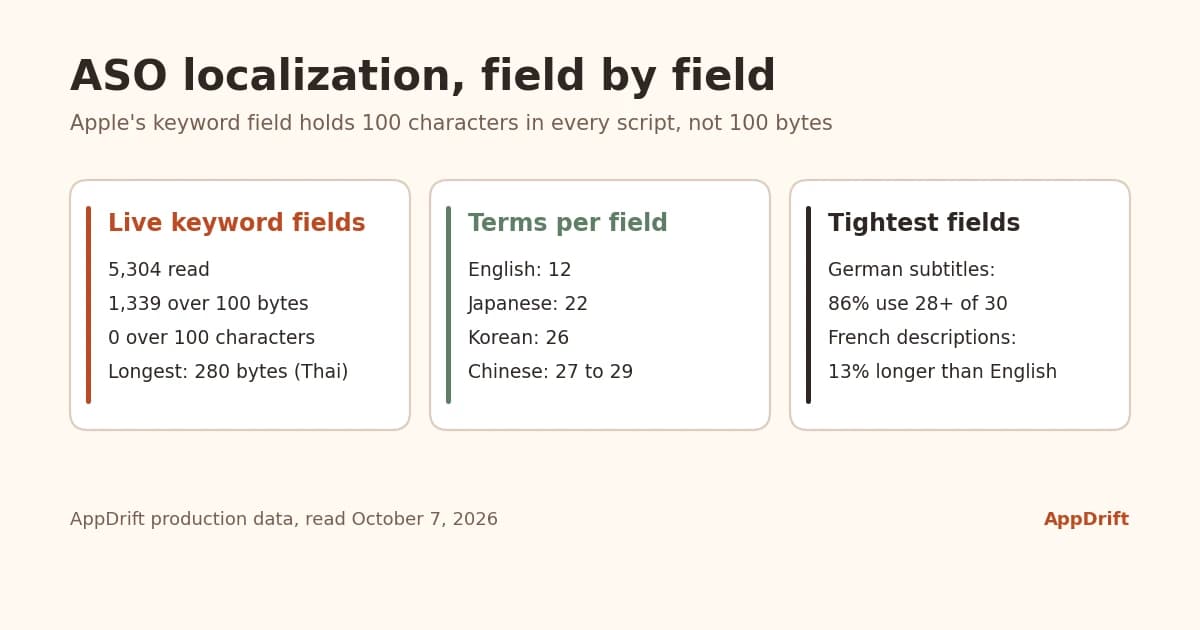
- Every Japanese field was over 100 bytes (medians of 182 and 215 bytes). That is fine for Apple, which accepts 100 characters in every script, as our ASO localization data shows. A checker that counts bytes would have rejected all 100 Japanese answers.
- Check that an answer is complete. In a first run we capped one model's replies at 600 tokens, and most of its answers came back cut off mid-list or empty. A pipeline that saves whatever comes back would have published broken fields. We raised the cap and ran the whole test again; the table shows that run.
Why this happens: language models read and write tokens, not characters. Anthropic describes a token as roughly 3.5 English characters and Google as about four, with the ratio varying by language.[8][9] A peer-reviewed benchmark found that most models "process them as atomic units without direct access to individual characters."[10] Counting is therefore a job for code, not for the model. This was a small test of two models and one prompt, so read it as a reason to check every answer, not as a ranking of the models.
Five checks AI listing text still needs
- Count every field in characters, in code. Don't trust a model's own count. When a field is too long, regenerate it rather than cut it: a truncated subtitle loses its meaning mid-phrase. AppDrift's metadata generation regenerates an over-limit field up to 20 times instead of truncating it.
- Clean the keyword field. Apple says not to repeat words from your app name, subtitle or category, treats plurals of words you have used as duplicates, and doesn't allow names of other apps or companies.[11][12] Our keyword field guide covers the rest.
- Screen for words the stores ban. Apple's guideline 2.3.7 rules out packing metadata with "trademarked terms, popular app names, pricing information, or other irrelevant phrases just to game the system," and says subtitles must not "make unverifiable product claims."[13] Google Play bans ranking and price claims such as "#1" or "10% off" and emojis in the title.[14] Models trained on marketing copy produce these phrases readily.
- Check every claim against the app. Apple asks that metadata "accurately reflect the app's core experience."[13] Language models can produce plausible statements that are wrong; Anthropic's own documentation says even advanced models "can sometimes generate text that is factually incorrect."[15] A feature the draft mentions has to exist in the version you ship.
- Have each language reviewed by someone who reads it. A model can write fluent text in a language with the wrong register or an odd word for a common task, and the stores' policies apply to every translation.
Where AI keyword suggestions come from
A language model on its own suggests words that sound relevant to your app. It has no view of what people type into the App Store or Google Play unless the tool feeds it store data. When you assess a tool's keyword ideas, ask what they are built on:
- Store autocomplete, read per country and language, shows phrases people actually type in that storefront.
- Apple's search popularity is relative and only available through Apple Ads; our guide to ASO data sources explains which source answers which question.
- Play Console reports the search terms that brought visitors to your Google Play listing and now offers keyword recommendations.
- Difficulty and popularity scores from third-party tools are estimates built from store results. They help you compare terms; they are not search volume.
AppDrift's keyword suggestion tool, for example, reads App Store and Google Play autocomplete for the storefront you choose, and says plainly that its difficulty score describes the apps ranking now and does not predict your rank.
AI agents and MCP: letting an assistant read your store data
The Model Context Protocol is "an open-source standard for connecting AI applications to external systems."[16] For ASO, it lets an assistant such as Claude or ChatGPT read your keyword ranks or review data and draft changes in the conversation instead of you copying data between tabs. As of October 7, 2026, the official MCP registry lists no server published by Apple for App Store Connect or by Google for Play Console; the store connectors that exist come from vendors and the community.
If you connect an agent, start with read access, let it draft rather than publish, and keep a person between the draft and the store. AppDrift's MCP server (appdrift-mcp on npm, listed in the registry as io.github.blaze-apps/appdrift) follows that shape: it reads your tracked ranks, keyword scores and weekly action plan, and drafts listing changes for review. API keys come with paid plans, and nothing is published to the stores from it.
How to choose an AI ASO tool
Ask these questions of any tool, ours included:
- Where do its keyword numbers come from, and does it say when a number is an estimate?
- Does it count limits in characters for every language, and does it regenerate or truncate a field that is too long?
- Can it research and write per market, or does it only translate your English listing?
- Does it keep the wording you have already approved, so a regeneration doesn't undo your edits?
- Can anything reach the store without your approval?
- Can your own assistant reach the data through an API or MCP?
- What does it cost for your number of apps and markets?
Where AppDrift fits: independent developers and small studios who want AI drafts per language with limits enforced, daily keyword tracking and MCP access in one workspace. Metadata generation costs 7 tokens per App Store language and 8 per Google Play language; the Free plan includes 50 signup tokens, one app and five tracked keywords, and paid plans add more apps, keywords and monthly tokens. Where it doesn't: AppDrift doesn't estimate downloads or revenue and doesn't sell market-intelligence data about other apps.
On paid plans, Ari, AppDrift's assistant, answers questions about your apps and keywords and can propose a metadata draft, showing its token cost before anything runs.
If you also publish on Android, our Google Play SEO guide covers how Play reads the text AI writes for you.
Frequently asked questions
What is an AI ASO tool?
An app store optimization tool that uses language models to draft or translate listing text, suggest keywords, summarize or answer reviews, or connect an AI assistant to your store data. The quality depends on the store data the tool feeds the model and on the checks it runs on the output.
Can ChatGPT or Claude do ASO on their own?
They can draft listing text and brainstorm keywords, but on their own they can't see store search data, and their character counts are unreliable. In our test one model broke the 100-character keyword limit in 19 of 50 English answers. Use them with real store data and automatic limit checks.
Do Apple or Google penalize AI-written metadata?
Neither store's rules single out AI-written text. Both require metadata that is accurate and relevant: Apple's guideline 2.3.7 and Google Play's metadata policy apply the same way whoever, or whatever, wrote the words.
Are App Store tags generated by AI?
Yes. Apple says its large language models generate tags from a range of data including your metadata, and people review them. You can deselect tags in App Store Connect; for now tags appear only in the United States.
Is there an official MCP server for App Store Connect or Play Console?
Not as of October 7, 2026. We found no server published by Apple or Google in the official MCP registry; the store connectors that exist come from vendors and the community.
Will an AI ASO tool improve my rankings?
No tool can promise that. AI can help you produce better listing text faster; whether it moves your rankings shows up only when you track positions per keyword and storefront for a few weeks after a change.
How we ran the test
On October 7, 2026 we called the OpenAI Chat Completions API (gpt-5.1) and the Anthropic Messages API (claude-sonnet-5-5) with default settings and no system prompt. Each request described one of five fictional apps and asked, in a single English prompt, for a JSON object with a subtitle and a keyword field, either in English or in Japanese, with the limits stated in characters. Ten requests per app, language and model gave 200 answers. We counted characters as Unicode code points and bytes as UTF-8, and checked repeated words only for the English answers, the only ones asked to avoid them. A first run capped Claude's replies at 600 output tokens and returned mostly incomplete Claude answers; we raised the cap to 4,096 and reran both models, and every figure in the table comes from that second full run. The first run's gpt-5.1 answers (21 of 50 English keyword fields over 100 characters) are kept for comparison. We keep the raw answers of both runs.
Sources
- Apple, WWDC25: What's new in App Store Connect
- App Store Connect Help: Manage app tags
- Apple Machine Learning Research: App Store review summaries
- Apple Developer: What's new for the App Store
- Android Developers Blog: Notes from Google Play, December 2024
- Android Developers Blog: What's new in Google Play, I/O 2026
- TechCrunch: The App Store's new AI-generated tags are live in the beta (June 14, 2025)
- Anthropic documentation: Glossary (tokens)
- Google AI for Developers: Understand and count tokens
- Edman et al.: CUTE, a character-level benchmark for language models (EMNLP 2024)
- Apple Developer: App Store search
- App Store Connect Help: Platform version information
- Apple: App Review Guidelines
- Google Play Developer Policy Center: Metadata
- Anthropic documentation: Reduce hallucinations
- Model Context Protocol: Introduction