If your app disappears from a search result, check what failed before rewriting the listing. The rank checker may have found no position, the app may be unavailable in that country, or the request may have timed out. Each calls for a different next step.
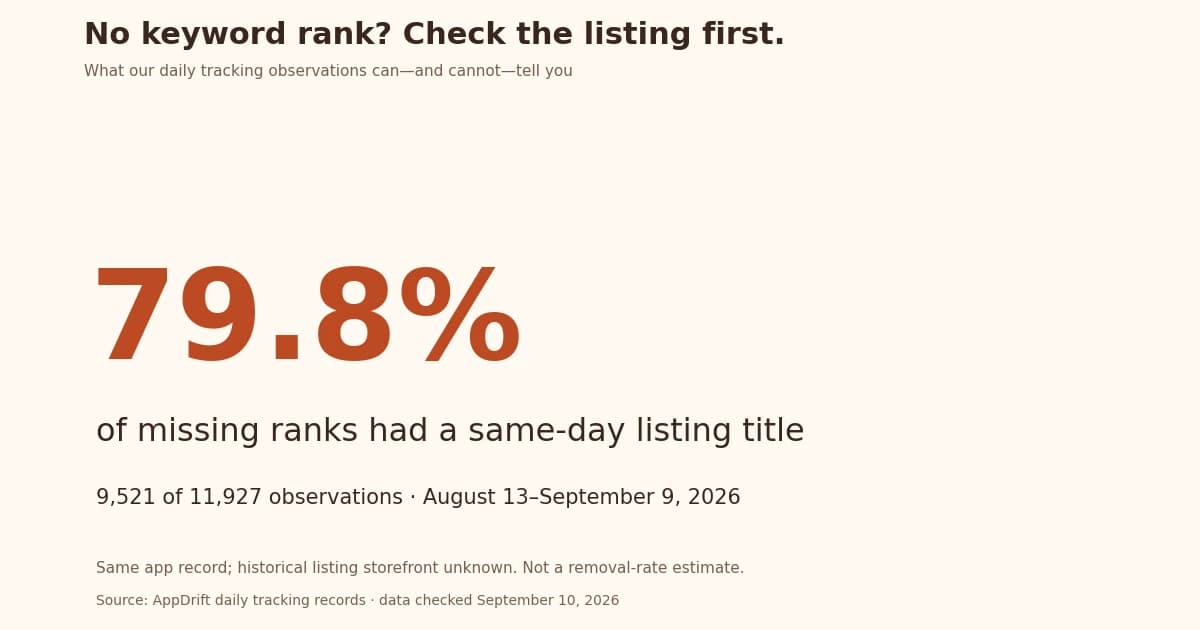
We checked our own tracking data and ran a small public-store experiment. In a 28-day AppDrift sample, 9,521 of 11,927 daily observations without a numeric keyword rank had a nonempty listing title collected for the same app record that day. That is 79.8% of the missing-rank observations. The listing data does not record its historical storefront, so this does not prove the app was available in the keyword's country. It does show why a missing rank alone cannot establish that an app disappeared.
Use this workflow before acting on a keyword-tracking alert: verify the app identity, verify the country, then investigate the search result.
What our 20,386 daily observations actually measure
Our read-only audit covers the 28-day window from August 13 through September 9, 2026: 20,386 retained daily keyword observations, 991 tracked series and 274 account app records. Each series belongs to a tracked keyword record. The same app can appear on many days and for many keywords, and the same public app may be tracked in multiple accounts. These counts are repeated observations; the 274 account records have not been deduplicated into distinct public apps.
| Platform | Missing-rank observations | With a listing title that day | Share |
|---|---|---|---|
| iOS | 7,926 | 5,848 | 73.8% |
| Android | 4,001 | 3,673 | 91.8% |
| Combined | 11,927 | 9,521 | 79.8% |
Download the anonymized counts and methodology. The platform split matters: the collectors have different search coverage, and the platform mix affects the combined percentage. This is a sample of AppDrift tracking activity, not a benchmark for all apps.
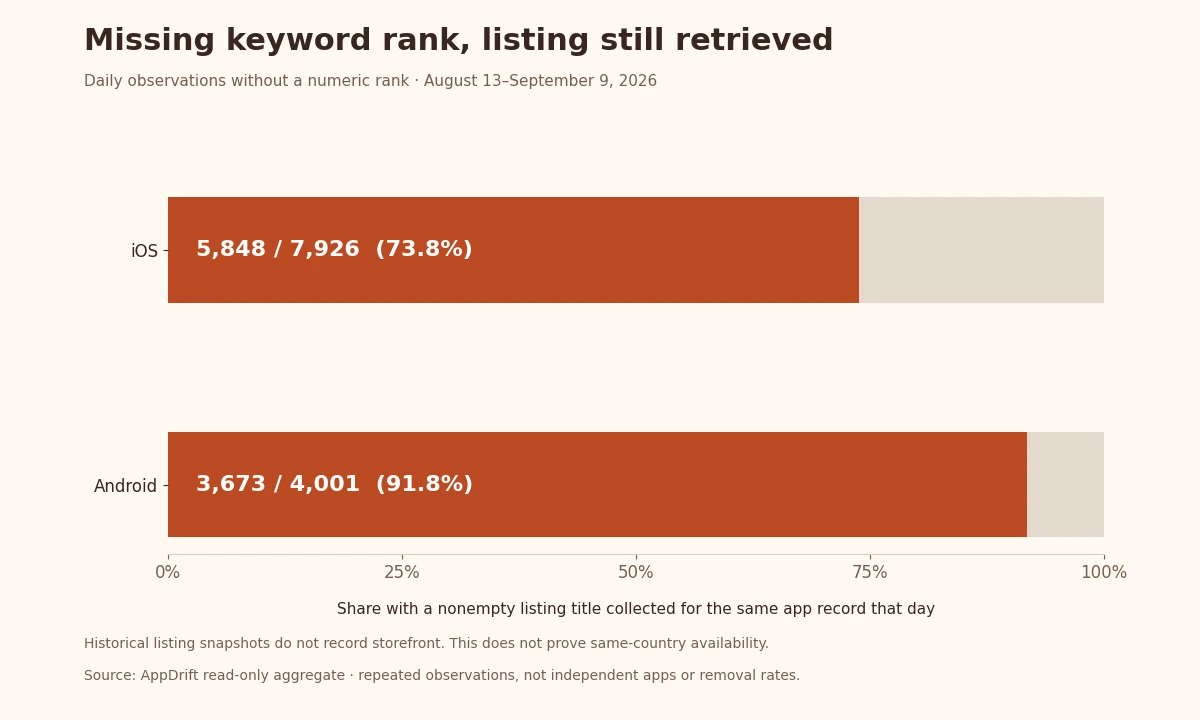
A nonempty title is evidence that our collector obtained listing metadata. It is not a completed download test, a same-country availability check, or proof of why a rank is absent. The other 2,406 missing-rank observations also had same-day listing snapshots, but none with a nonempty title. Those outcomes do not establish removals: an unsuccessful listing request does not show why the source failed to return the app.
This article addresses missing observations. If you have two real numeric ranks and want to interpret the movement between them, use our separate study of day-to-day rank changes.
A live example: one app, two storefronts, different results
On September 10, between 04:25:10 and 04:25:20 UTC, we queried Apple's public iTunes Lookup endpoint for Pepco's app. We chose this public listing to test a country mismatch; it is not a customer case study or a random sample. Its Polish App Store page identifies the app as ID 6757158188.[1]
| Requested storefront | Identifier | HTTP status | Matching results |
|---|---|---|---|
| Poland | Numeric ID 6757158188 | 200 | 1 |
| Poland | Bundle ID eu.pepco.app | 200 | 1 |
| United States | Numeric ID 6757158188 | 200 | 0 |
| United States | Bundle ID eu.pepco.app | 200 | 0 |
Both Polish requests returned the same app and version, 1.8.1. Both US requests returned no match. Changing only the country changed the result; using a numeric ID instead of a bundle ID did not. A tool defaulting to the US would therefore miss this listing in this check.
These requests checked listing metadata only. We did not measure Pepco's keyword rank, test installation or confirm distribution with its publisher. The empty US results therefore do not show that the app was removed worldwide. The timestamped request URLs and returned identifiers are available to inspect.
Step 1: verify the exact app and the customer's country
Start with the public store URL. Record the numeric app ID, platform and country segment, such as /pl/. Titles are poor identifiers because different apps can have similar names and a title can change between languages. Confirm the publisher when selecting an app in a tool.
Then check the customer's actual storefront. Apple says the country or region attached to the customer's Apple Account determines where they can purchase apps. A browser URL and a device's language setting are not sufficient evidence of that account setting.[2]
Listing language is a separate setting. Apple distinguishes localized product-page metadata from languages supported inside the app, and applies language fallback when an appropriate listing localization is unavailable.[3] Translating a description is therefore not a test of country availability.
For a new release, keep the country check in your localization checklist. Write down a verified store link for each target market instead of using one US URL as evidence for every market.
Step 2: separate an empty result from a failed request
A useful observation log has a status column as well as a value column. These states deserve different next steps:
| Observed state | What you know | Next action |
|---|---|---|
| Successful lookup, matching ID | The source returned listing metadata | Check the keyword in that same country |
| Successful lookup, no matching ID | The source returned no match for this request | Verify country, identity and the public listing |
| Timeout, rate limit or server error | The observation failed | Retry later and retain the last successful check |
| Listing present, keyword rank absent | No numeric position was observed for that query | Inspect search depth, query and collector status |
Never turn a failed request into a rank of zero. Do not draw a line from rank 18 to rank 0 on a trend chart: that suggests a measured movement to a position that does not exist. Leave a gap and label the reason you have evidence for.
A listing monitoring history gives you another observation to inspect, but confirm the timestamp and country before treating it as corroboration. Two dashboards can share the same upstream source; they are not automatically independent checks.
Step 3: decide whether this is a publishing or search problem
If your own listing cannot be reached in the intended storefront, inspect App Store Connect before changing keywords. In Pricing and Availability, check the country selection and release state. Apple notes that availability changes can take up to 24 hours to become visible to all users.[2]
Use your publishing workflow to verify what was submitted, but validate the final public result too. A saved draft or completed metadata upload does not establish that customers can download the release.
If the listing resolves in the intended country, repeat the exact keyword query there. Record the date, device or source, and the number of results actually returned. Failure to appear in a limited result set gives you no exact position beyond that set. It also does not prove that nobody can discover the app through another query.
Only then decide whether the keyword itself needs attention. Our keyword research workflow covers relevance and competitor checks once identity and availability have been verified.
What should you record before changing anything?
Keep one short incident record: app ID, platform, storefront, exact keyword, UTC check time, source URL, response status, last successful observation and current release version. Add the public listing result separately from the search result. Another person should be able to repeat the checks without guessing your settings.
The record helps explain apparent changes. If yesterday's request timed out and today's succeeds, the measurement recovered; that alone does not show an improvement in search visibility.
Frequently asked questions
Does no keyword rank mean my app was removed?
No. It means the source did not provide a numeric position for that observation. Check the app's listing, the storefront and the request status before inferring a removal.
Why can an app appear in Poland but not a US lookup?
The storefront is part of the request. Our four-request Pepco example returned a matching app in Poland and none in the US. That finding is limited to the public lookup endpoint and the collection time.
Should I translate my listing to fix a country mismatch?
First verify distribution and storefront settings. Metadata language and country availability are separate controls. Translation can address how a listing communicates once it is available.
Can I count missing ranks as position 201?
Only if you explicitly define a censored category such as outside the observed results; do not call it a measured rank. A failed request should remain unknown rather than entering that category.
Does the 79.8% finding apply to my app?
It is a repeated-observation statistic from AppDrift's selected tracking activity. It is not a probability that your app is available. Our listing snapshots also lack historical storefronts, so the aggregate cannot resolve a specific country mismatch.
Sources and method
The aggregate audit selects stored calendar dates from August 13 inclusive to September 10 exclusive. The rank history retains one row per tracked series and date; later checks can overwrite that day's row. The 20,386 observations therefore do not count every request. Listing snapshots are grouped to one app-record/day result before joining, and corroboration means at least one nonempty collected title that day, not a simultaneous check.
The historical rank rows do not preserve the individual cause of a missing rank or the result depth. Historical listing snapshots lack storefront, and current keyword-country settings can change. The selected series and repeated observations cannot establish a market-wide rate or a platform advantage. Deleted records are absent from this retained sample. No customer names, app identifiers or keyword text are published; the public Pepco checks are a separate, deliberately selected example.