Search volume means how often people search for a phrase in a particular store, country and period. Most numbers you see in ASO tools are estimates or popularity scores rather than a public count of all App Store searches. Before using a number, check what it measures and where it came from.
This guide explains three sources you can use: Apple Ads popularity, store autocomplete and third-party scores. Each can help with research, but they answer different questions.
What is App Store keyword search volume?
Search demand matters because a phrase can describe your app perfectly while reaching very few people. The challenge is finding useful evidence without treating an estimate as an exact count.
Apple Ads provides a relative search-popularity indicator. Its recommendations guide describes popularity alongside campaign estimates. Read the scale and definition in the tool you use: a score is not a number of searches, and you cannot convert it into monthly volume with a simple multiplier.
Providers can use different inputs, such as advertising data, autocomplete or information about the apps in search results. They can also use different time windows and models. Two estimates for the same phrase may therefore disagree substantially. Ask how each figure is produced before comparing them.
Use estimates to compare candidates within the same tool, platform, storefront and period. Their relative ordering can also be wrong; neither exact counts nor a claimed three-to-one demand ratio should be treated as verified without direct evidence.
How do you check App Store search volume for free?
Three ways, in ascending order of effort:
- Read autocomplete suggestions. Use the local store suggestions to discover phrasing. Their order is not a published measurement of search demand and can reflect context beyond popularity.
- Use a free popularity score. AppDrift's free keyword difficulty checker shows a popularity score (0–100) next to the difficulty score for supported iOS and Android checks in 60+ storefronts, without signup. Results can be cached, so inspect the data context before treating a request as a fresh observation.
- Check Apple Ads popularity where available. If you have access, inspect the indicator for your chosen term and market. Confirm the account requirements and reporting scope; you do not need to launch a campaign merely to read this guide.
Keep rank, paid search popularity and App Store Connect acquisition separate. Our Apple Analytics guide explains the documented dimensions and the conditional availability of acquisition reports.
What is a good search volume for a keyword?
There is no universal score that makes a keyword valuable. First confirm that it describes your app, then inspect the result set and available demand evidence. A narrow term may serve a useful niche; a high score may reflect large incumbent apps rather than frequent searches for that exact phrase.
Prioritize candidates with a clear user need and a plausible competitive fit. Use a current rank check as a baseline, not a forecast of installs. A position in the 11–30 band can be worth investigating but is not automatically “half-won.”
Search volume vs. keyword difficulty: which matters more?
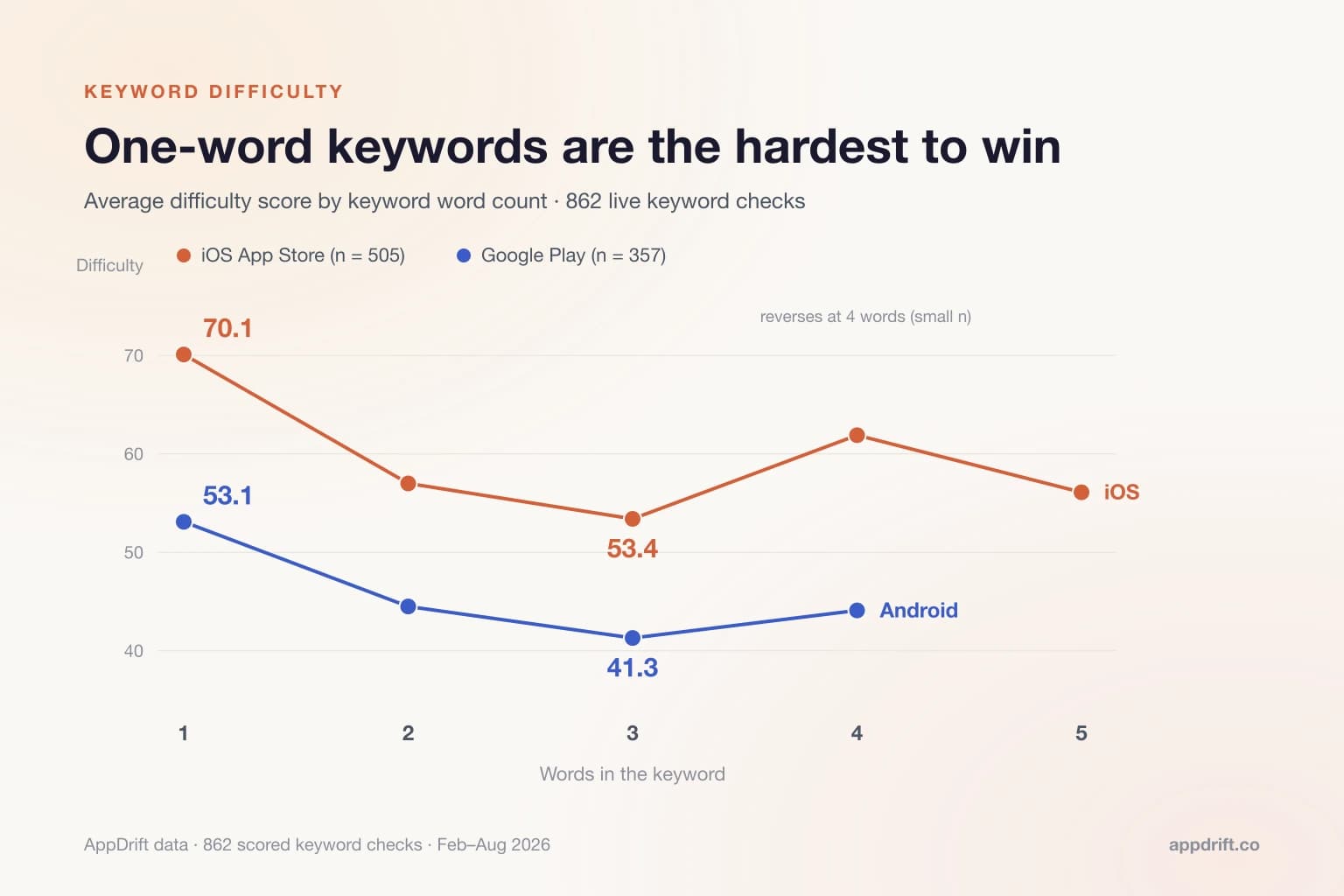
Start with relevance, then consider demand and competition together. A broad phrase such as “fitness” may return apps serving many different needs. A narrower phrase may fit your app better, but you still need to inspect its results and look for evidence of demand.
Shortlist phrases that describe your app, check the competing results and record the evidence behind each choice. The keyword space calculator can help review duplicates and field length. Use it to make the final wording clearer, not simply to fill every available character.
How does AppDrift measure keyword popularity?
AppDrift's popularity number is a heuristic derived from result-set signals, including review counts on iOS and install information on Android. It is not observed query volume or Apple's own popularity score. A large result-set audience does not prove that the checked phrase caused those installs or reviews. Compare only within the same platform and use independent demand evidence where available.
AppDrift keyword tracking keeps scores beside observed positions so you can review candidates together. An ASO Autopilot plan can suggest priorities. Treat those suggestions as a starting point to review, not a prediction that a particular keyword will deliver the highest return.
Choose a phrase you can explain
Search volume, ranking difficulty and observed position answer different questions. Use available official popularity data and tool estimates with their definitions attached; do not turn an autocomplete order or result-set proxy into exact monthly searches. Relevant words deserve a metadata slot because they fit the product and audience, not because they fill a target score.