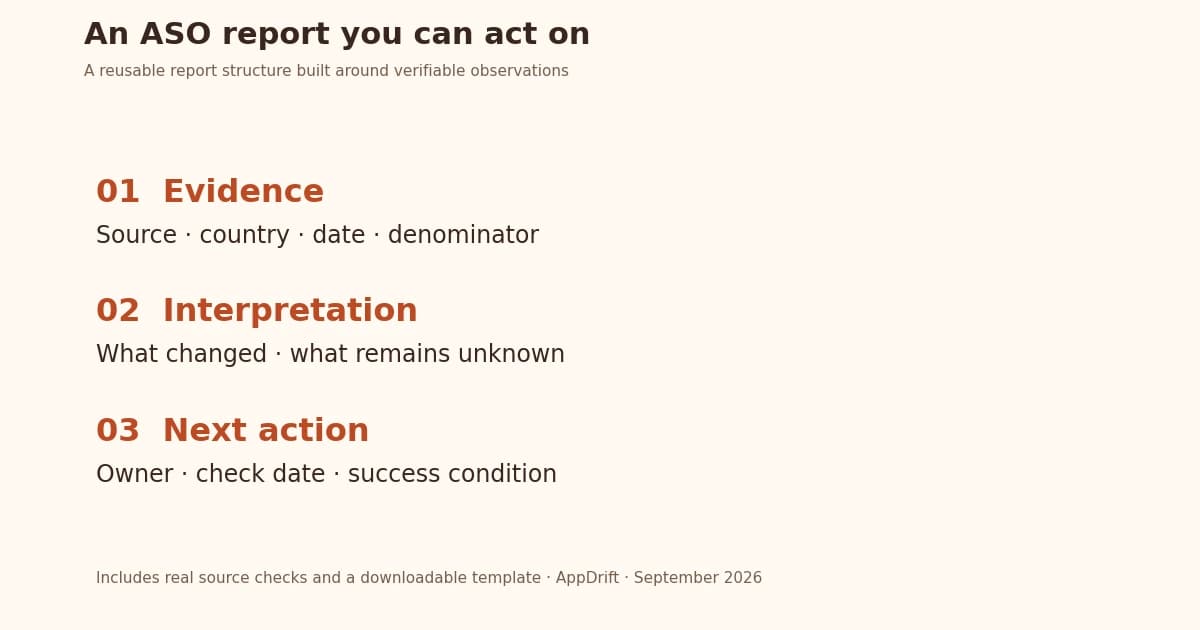
An ASO report should explain what changed, what you think it means, and what to do next. Include the reporting scope, comparable metrics, keyword coverage, listing changes, evidence limitations and an action table. A reader should be able to trace every conclusion back to a dated source.
Download the blank ASO report template. It is an editable Markdown file with no invented performance numbers. The examples below use our September 2026 observations and a correction to our own research to show how to fill it honestly.
What to include in an ASO report
| Section | What the reader needs |
|---|---|
| Decision summary | The issue, recommended action and unresolved question |
| Scope | App ID, platform, storefront, language, dates and comparison period |
| Performance | Current and previous values, definitions, denominators and source exports |
| Search coverage | Fixed keyword set, observed ranks, missing observations and collection method |
| Listing and market evidence | Dated changes, local ratings, competing explanations and collection gaps |
| Next steps | Owner, due date, success rule, review date and decision if evidence stays insufficient |
Keep the opening summary short enough to read before a meeting. Attach exports and detailed keyword rows separately. If nobody can explain what decision a chart supports, leave that chart out.
Define the comparison before calculating a change
Record exact start and end dates, timezone, export time and filters. Compare equivalent periods with the same country, traffic source and device scope. If the latest dates are incomplete, label them and postpone that comparison. A calendar month and a four-week period are different windows.
Identify each row consistently: app ID plus platform, storefront and relevant language. If those settings changed, start a separate comparison or restate the baseline. Keep a visible note for releases, paid campaigns, featuring, pricing changes and tracking interruptions; each can complicate an interpretation.
Show the numerator and denominator beside every rate
Copy the source metric name before shortening it for presentation. Apple distinguishes unique-device impressions from product-page views. Its App Store conversion metric relates downloads and pre-orders to unique-device impressions, with a pre-order counted once rather than again on download. Total downloads include both first-time downloads and redownloads. Definitions checked September 10, 2026: Apple's metric reference.
| Metric | Current | Previous | Definition to preserve |
|---|---|---|---|
| Impressions (Unique Devices) | Not measured | Not measured | Device count; retain the source's scope |
| First Time Downloads | Not measured | Not measured | Separate from redownloads |
| Conversion Rate | Not measured | Not measured | Save the numerator, unique-device denominator and pre-order handling |
| Your custom rate | Not measured | Not measured | Name the counted event and eligible population explicitly |
If you calculate downloads divided by product-page views, label that custom ratio; it is not interchangeable with Apple's reported conversion metric. Do not reconstruct the latter by adding pre-orders to unadjusted download totals. Retain the source definition or use the reported rate.
Show absolute counts alongside percentages. Calculate pooled rates from compatible summed numerators and denominators, rather than averaging country percentages. if there is no eligible audience, the rate is undefined; if it is unavailable, the rate is not measured.
Keep the same keyword set and show missing results
Choose the keywords before comparing periods. Store the exact query, country, platform and observation method for each. Log additions and removals separately: dropping difficult keywords can improve an average without any retained keyword gaining a position.
For each comparison, report how many series had usable observations in both periods, how many were missing, and how many were added or removed. If you show average rank, restrict it to a stated matched set and disclose its coverage. A rank average that silently loses absent results can look better while visibility becomes less measurable.
Use a keyword tracking history to preserve the observations, but keep numeric ranks separate from missing results. Only label a result "outside the checked range" when the source actually records a successful check and its result depth. A blank historical rank does not supply those facts.
Separate zero, unknown and a failed request
Our missing-search-rank investigation found 9,521 of 11,927 missing-rank observations associated with a retrieved listing title on the same day: 79.8%. The historical listing snapshots did not retain storefronts, so this does not establish availability in the keyword search country. These were repeated observations of tracked records, not independent apps or a representative store sample.
The reporting lesson is to preserve the observed state. "No numeric rank recorded" does not mean "app removed." Similarly, an HTTP failure supplies no result count; a successful lookup returning zero matches supplies a count for that specific request.
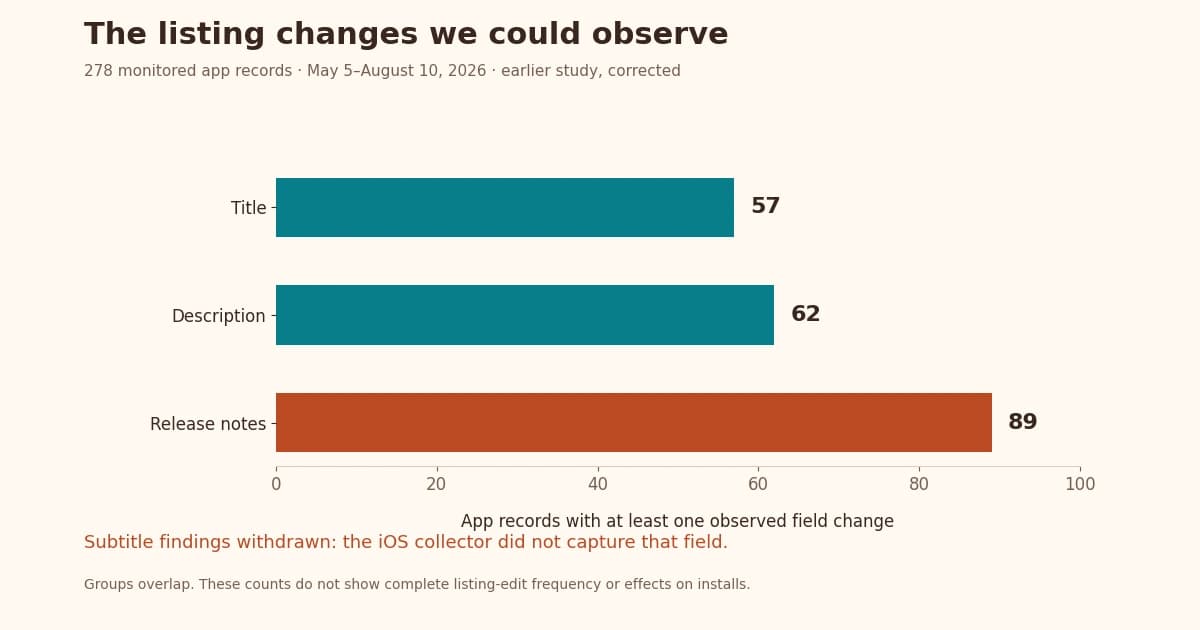
We made the same mistake with subtitles in an older study: our collector did not capture the iOS field, and the article treated missing values as empty subtitles. The published correction withdraws those findings. A report should mark an unsupported field "Not collected," preserve the correction, and revisit recommendations that depended on it.
Apply that discipline to localization, too. Apple distinguishes listing metadata languages from languages in the app binary and documents language fallback. A count of supported app languages therefore cannot establish that the store description was translated. Inspect the relevant metadata and label the language actually returned. Apple's localization documentation.
Write evidence, interpretation and action as separate columns
These are real observations, followed by proposed investigations. Neither row reports an improvement caused by an ASO change.
| Evidence | Interpretation and limit | Proposed action |
|---|---|---|
| Pepco's app returned one matching lookup result in Poland and zero in the US; numeric-ID and bundle-ID checks agreed. | Country changed the lookup outcome. This was an identity check, not a keyword-rank or installation test. | Verify the intended storefront before investigating search visibility. |
| AllTrails returned 4.889 from 1,038,380 ratings in the US and 4.740 from 759 in Japan. | These are different country snapshots, not a decline over time or a measure of downloads. | Keep score, count, country and timestamp together in the competitor baseline. |
The ratings-by-country study includes the downloadable public observations. Its deliberately selected 12-app sample does not explain why ratings differ. For your own report, inspect local feedback before attributing a country gap to translation.
Attach the before-and-after text and effective date for each listing change. A store monitoring history can provide that record; it cannot by itself establish that the edit caused a subsequent performance change.
Finish with an owner, a due date and a success rule
For each action, name who will do it, what they will deliver, and when you will review it. Define success before doing the work. For a collection problem, success can be a verified response in the intended storefront with its timestamp and status retained. That is a completed diagnostic task, not an install uplift.
For a listing experiment, record the hypothesis, comparison method, primary outcome and stopping rule before launch. If there is no credible comparison, describe the later movement as an observation. "Insufficient evidence; continue collecting" is a valid review outcome.
If an Action Plan supplies the next task, bring its evidence into the report and assign an owner. A recommendation becomes useful when someone can verify both its reason and its completion.
Frequently asked questions
What is an ASO report?
It is a dated account of an app's store performance, the evidence behind your interpretation, and the decisions that follow. Include enough scope and source information for another person to check the conclusions.
How often should I create an ASO report?
Choose a schedule that matches your decisions and available data. Weekly operational reviews can follow open issues; longer reviews can assess completed work. Preserve comparable windows and do not force a conclusion from incomplete observations.
Can I make an ASO report without download data?
Yes, but label it a visibility or listing report. Report what you observed and mark downloads, conversion and revenue "Not measured." Keyword ranks and rating counts cannot substitute for those metrics.
Should missing keyword ranks count as zero?
No. Keep missing observations separate from numeric positions and retain the source status when available. Report coverage alongside movement; otherwise missing results can distort both averages and interpretations.
How do I show that an ASO change worked?
Define the outcome and evaluation method in advance. A before-and-after chart alone cannot exclude releases, campaigns or traffic changes. State what your comparison supports and what remains uncertain; do not turn timing into proof of causation.